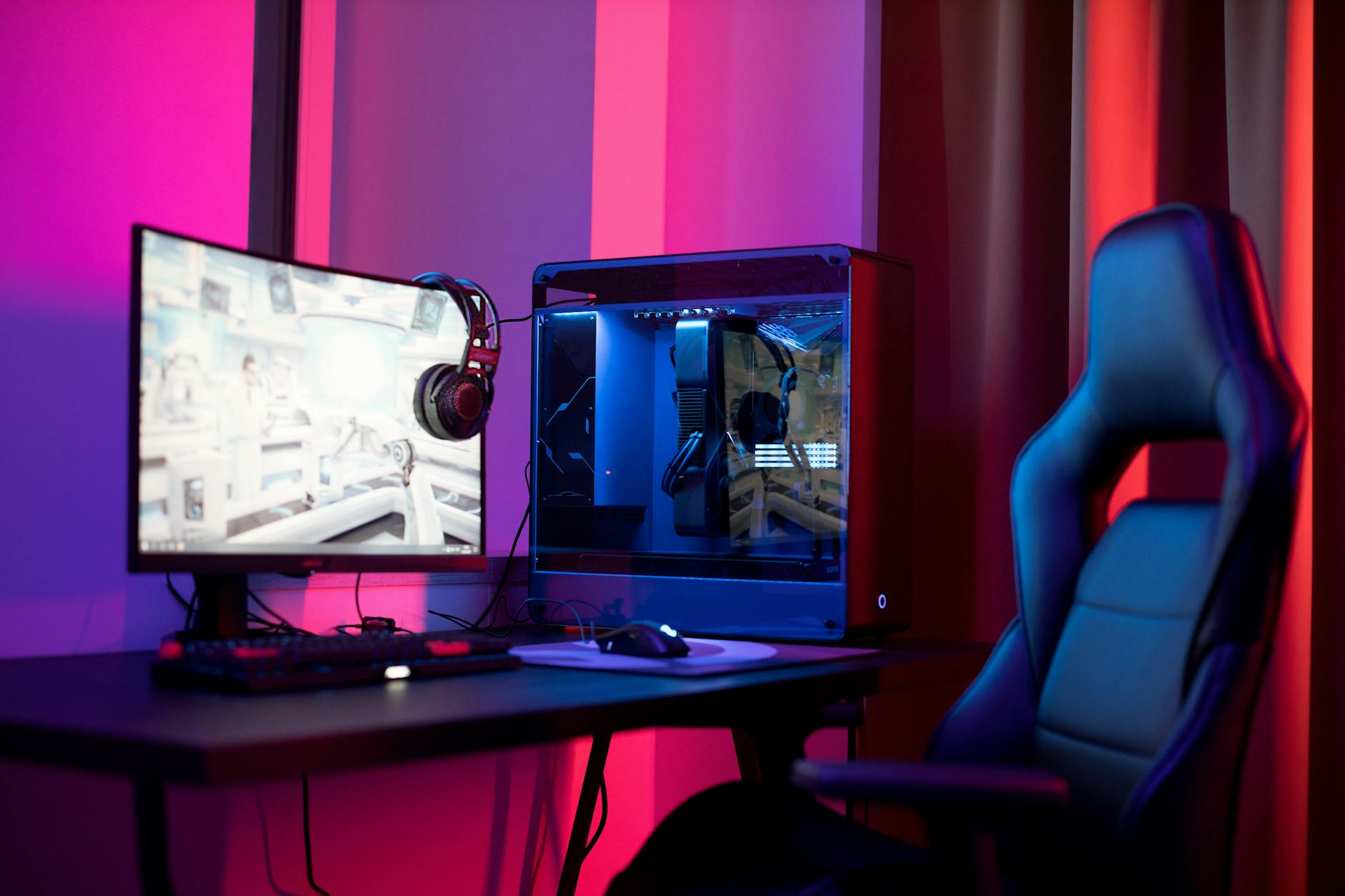
Where to Find Cheap Gaming PCs: Your Ultimate Guide
cheap gaming pcs

Where to Find Cheap Gaming PCs: Your Ultimate Guide

Unlock the world of affordable PC gaming with our comprehensive guide to finding the best deals.

Start Gaming Now

Key Takeaways

  • ✓ Refurbished PCs offer significant savings with warranty.
  • ✓ Used markets (eBay, Craigslist, Facebook Marketplace) can yield great deals.
  • ✓ Building your own PC often provides the best performance-to-price ratio.
  • ✓ Sales events (Black Friday, Prime Day) are prime times for discounts.

How It Works

1
Define Your Budget & Needs

Determine your absolute maximum spend and the types of games you want to play. This helps narrow down suitable options and prevents overspending.

2
Explore Various Avenues

Investigate new pre-builts, refurbished units, used markets, and the DIY route. Each path offers unique benefits and potential savings.

3
Research Components & Deals

Familiarize yourself with key components (GPU, CPU) and look for specific deals. Compare prices across multiple retailers and platforms.

4
Inspect & Verify

Before purchasing, especially used, verify component functionality and condition. Request benchmarks or pictures to ensure you're getting what you expect.

Navigating the New Market for Affordable Gaming Desktops

Close-up view of a modern gaming controller, highlighting joystick and buttons with a 'shield' design. Photo: Johnny Mckane / Pexels
Finding cheap gaming PCs doesn't always mean buying used or building your own. The new market, with its warranty and peace of mind, can still offer fantastic deals if you know where to look and when to buy. Major retailers like Amazon, Best Buy, and Newegg frequently run sales on pre-built gaming desktops. Keep a close eye on their 'daily deals' or 'clearance' sections. Often, manufacturers release new generations of components, leading to significant price drops on systems featuring the previous generation. While not the absolute latest, these components often still provide excellent performance for 1080p gaming at high settings, making them incredibly cost-effective. Subscribing to newsletters from these retailers can give you early access to flash sales and exclusive discounts. Beyond general retailers, consider direct-to-consumer brands that specialize in gaming PCs, such as CyberPowerPC, iBUYPOWER, and Skytech Gaming. These companies often have configurators that allow you to customize a system to fit your budget, letting you pick and choose components. They also frequently offer pre-configured budget builds that are designed to hit specific price points while delivering solid gaming performance. Look for systems featuring last-gen GPUs like an NVIDIA GeForce RTX 3050/3060 or AMD Radeon RX 6600/6600 XT, paired with an Intel Core i3/i5 or AMD Ryzen 3/5 processor. These combinations strike a sweet spot for budget-conscious gamers. Remember to check for bundled deals, as sometimes a PC will come with a free game or accessory, adding extra value. Patience is key; if you don't need a PC immediately, waiting for major sales events like Black Friday, Cyber Monday, or Amazon Prime Day can result in substantial savings. These periods often see the steepest discounts on popular gaming PC models. Always compare specifications and prices across several vendors before making a final decision to ensure you’re getting the best value for your money. Don't forget to factor in shipping costs and return policies when comparing online retailers. For more in-depth comparisons of new components, check out our guide to gaming PC components.

Unearthing Gems: Used and Refurbished Gaming PCs
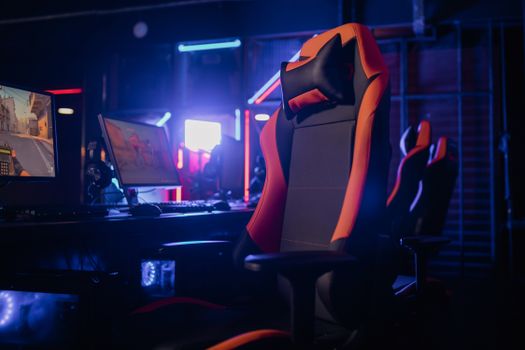
Modern gaming setup featuring a sleek chair and powerful PCs under neon lights. Photo: Alena Darmel / Pexels
The used and refurbished markets are arguably the best places to find truly cheap gaming PCs, offering significant savings over new systems. Refurbished PCs, typically sold by reputable retailers or manufacturers, have been professionally inspected, repaired, and tested to ensure full functionality. They often come with a limited warranty, providing a level of assurance that you won't get with a private seller. Websites like Newegg's refurbished section, Amazon Warehouse, and even manufacturer outlets (Dell Outlet, HP Business Outlet) are excellent starting points. These units might have minor cosmetic imperfections but are internally sound, making them a smart choice for budget gamers. Always check the warranty details and return policy when buying refurbished. For even deeper discounts, the private used market is a treasure trove, though it comes with higher risks. Platforms like eBay, Craigslist, Facebook Marketplace, and local pawn shops are teeming with used gaming PCs. On eBay, you'll find a vast selection, often with buyer protection, but be diligent in checking seller ratings and detailed descriptions. Look for listings with clear photos, component lists, and, ideally, benchmark results. On local platforms like Craigslist and Facebook Marketplace, you can often find better deals because sellers avoid shipping costs and fees. However, direct interaction means you must be cautious. Always meet in a public place, inspect the PC thoroughly before purchase (if possible, ask to see it running a game or benchmark), and never transfer money until you're satisfied. Ask for proof of purchase for components, if available, to verify authenticity and age. Be wary of deals that seem too good to be true, as they often are. Understanding current component values is crucial here; a quick search for individual GPU and CPU prices on sites like PCPartPicker can help you gauge if a pre-built used system is fairly priced. Consider also the condition of peripherals that might be included, as these can add unexpected value or cost if they need replacing. Always negotiate prices on the used market; sellers often build in a buffer. A little haggling can save you even more money. Investing a small amount of time in research and careful inspection can lead to an incredible bargain on a powerful gaming machine.

The DIY Route: Building Your Own Budget Gaming PC
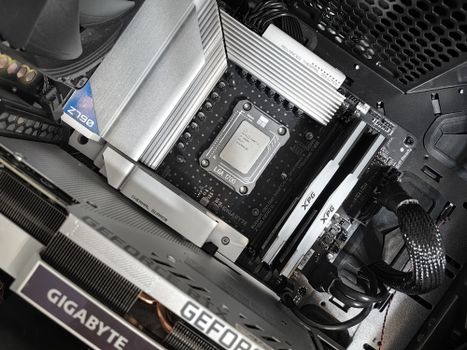
Interior view of a high-performance PC build featuring a Gigabyte motherboard and components. Photo: Andrey Matveev / Pexels
Building your own gaming PC is often the most cost-effective way to achieve the best performance-to-price ratio. It gives you complete control over component selection, allowing you to prioritize parts that matter most for gaming (like the GPU and CPU) and save on less critical ones (like a basic case or a smaller SSD). While it might seem daunting, the process is akin to assembling LEGOs with a bit more care. Countless tutorials on YouTube and tech websites walk you through each step. Websites like PCPartPicker are invaluable resources, helping you choose compatible components, compare prices from various retailers, and even estimate power consumption. This ensures you don't buy an overpowered power supply or incompatible RAM, saving you money and headaches. The real savings come from strategic component selection. For a cheap gaming PC, focus on a mid-range CPU (e.g., AMD Ryzen 5 5600 or Intel Core i5-12400F) and a good budget GPU (e.g., AMD Radeon RX 6600, NVIDIA GeForce RTX 3050/3060, or even older, still-capable cards like an RX 580 if you're willing to buy used). Don't overspend on an expensive motherboard; a basic B-series chipset is usually sufficient. RAM should be at least 16GB (DDR4 is still great value), and a 500GB NVMe SSD is a good starting point for storage, offering fast load times without breaking the bank. You can always add more storage later with a cheaper HDD. Scour sales and clearance sections for individual components, as these often see deeper discounts than pre-built systems. Sites like r/buildapcsales on Reddit are community-driven hubs for finding the best deals on PC parts. Buying components over time, as sales appear, can also spread out the cost and potentially lead to better overall savings. Remember, building it yourself also means you learn how it works, making future upgrades and troubleshooting much easier. This hands-on experience is incredibly valuable and empowers you to maintain your system independently. For a deeper dive into component selection, refer to our comprehensive guide on PC building for beginners.

Smart Shopping Strategies and Common Mistakes to Avoid

Young woman gaming at a PC high-tech setup, wearing headphones. Photo: Matheus Bertelli / Pexels
Finding a cheap gaming PC isn't just about knowing where to look; it's also about smart shopping strategies. Timing your purchase is crucial. As mentioned, major sales events like Black Friday, Cyber Monday, Prime Day, and even back-to-school sales can offer significant discounts on both pre-built systems and individual components. Following tech news sites and deal aggregator websites can alert you to upcoming sales and price drops. Price tracking tools like Honey or Keepa for Amazon can also help you monitor the price history of specific items, ensuring you're buying at a genuinely low point, not just a perceived discount. When evaluating a cheap gaming PC, don't make these common mistakes: * **Prioritizing CPU over GPU for gaming:** For most games, the graphics card (GPU) is the single most important component for performance. A balanced system is key, but don't skimp on the GPU to get a slightly better CPU if your primary goal is gaming frame rates. * **Overlooking the power supply (PSU):** A cheap, unreliable PSU can damage other components. While you don't need a top-tier platinum-rated unit for a budget build, ensure it's from a reputable brand and has enough wattage for your components. * **Ignoring storage type:** While hard drives (HDDs) offer lots of space cheaply, a solid-state drive (SSD) for your operating system and frequently played games dramatically improves responsiveness and load times. Even a small 250GB SSD combined with a larger HDD is a good budget compromise. * **Forgetting about the operating system:** A new Windows license can add a significant cost. Look for deals on Windows keys, or consider using Linux for gaming if you're adventurous and playing Linux-compatible titles. * **Buying without checking reviews or benchmarks:** Always look up reviews for specific PC models or component combinations. Benchmarks for the games you want to play will give you a realistic expectation of performance. * **Not checking connectivity:** Ensure the PC has enough USB ports, the right video outputs (HDMI, DisplayPort), and modern Wi-Fi/Ethernet for your needs. By being strategic and avoiding these pitfalls, you can maximize your budget and secure a cheap gaming PC that still delivers an excellent gaming experience.

Comparison

FeatureNew Pre-built (Budget)Refurbished PCUsed PC (Private Seller)DIY Build (Budget)
Initial CostMedium-HighMediumLowMedium-Low
Warranty/SupportFull ManufacturerLimited (Retailer/Manufacturer)None (usually)Component-specific
Performance/PriceGoodVery GoodExcellent (if lucky)Best
Risk LevelLowLow-MediumHighMedium (assembly)
CustomizationLimitedNoneNoneFull
Time/EffortLowLowMedium (searching)High (research/assembly)
Software Included✗ (often)

What Readers Say

"I followed this guide and found an amazing deal on a refurbished gaming PC from Newegg. It performs flawlessly, and I saved hundreds compared to buying new. Highly recommend checking those refurbished options!"

Alex P. · Austin, TX

"Building my own budget PC seemed scary, but the 'DIY Route' section gave me the confidence. I used PCPartPicker and got much better specs for my money than any pre-built, thanks to smart component choices."

Maria S. · Orlando, FL

"I was skeptical about buying used, but after reading the tips, I found a great deal on Facebook Marketplace. The seller was transparent, and I now have a solid gaming rig for under $400. It's been running all my games smoothly."

David L. · Seattle, WA

"The new market section helped me spot a great sale on an iBUYPOWER system during Prime Day. While not the cheapest option overall, the warranty and ease of setup were worth a little extra for me, and I still saved a lot."

Jessica M. · Denver, CO

"This guide is a lifesaver! I combined tips from the used market and DIY sections. I bought a used GPU and built the rest. The performance is incredible for the price point I hit, letting me play all the latest titles."

Kevin T. · Chicago, IL

Frequently Asked Questions

What's the absolute cheapest way to get a gaming PC?

The absolute cheapest way often involves buying a used gaming PC from a private seller on platforms like Facebook Marketplace or Craigslist, or building a very basic DIY system using older, second-hand components. This route requires careful inspection and knowledge but can yield the lowest prices.

Is it safe to buy a used gaming PC?

Buying a used gaming PC can be safe if you take precautions. Always meet in a public place, thoroughly inspect the PC, ask to see it running, and verify component specifications. Reputable refurbished sellers offer more safety with warranties.

How can I build a cheap gaming PC if I've never done it before?

Start by researching components on PCPartPicker to ensure compatibility and price comparisons. Watch detailed YouTube tutorials for step-by-step assembly instructions. Focus on essential components first (CPU, GPU, RAM, SSD), and don't be afraid to ask for help in online communities.

What's a realistic budget for a 'cheap' gaming PC that can play modern games?

A realistic budget for a 'cheap' gaming PC capable of playing modern games at 1080p medium-high settings is generally between $500-$800. This range allows for decent CPU/GPU combinations, sufficient RAM, and an SSD, especially if you consider used or sale components.

Should I buy a gaming laptop or a cheap gaming PC?

A cheap gaming PC (desktop) generally offers better performance-to-price ratio and easier upgradeability compared to a gaming laptop at the same price point. Gaming laptops prioritize portability but often compromise on power and tend to be more expensive for equivalent performance.

Who should consider buying a cheap gaming PC instead of a high-end one?

A cheap gaming PC is ideal for new gamers, those with limited budgets, casual players, or anyone who primarily plays older titles or less graphically demanding games. It's also great for gamers who prioritize value and are comfortable with 1080p gaming.

What are the risks of buying a very cheap, obscure brand gaming PC?

Risks include low-quality or non-standard components, poor cooling, unreliable power supplies, and limited or non-existent customer support. These issues can lead to performance problems, component failure, and a frustrating user experience, often making the initial savings not worth it.

What future trends might make cheap gaming PCs even more accessible?

Future trends like increased competition in the GPU market, more efficient integrated graphics in CPUs, and continued advancements in cloud gaming services could make gaming more accessible. Additionally, the growing popularity of used component markets will likely persist, offering more affordable options.

Armed with this guide, you now know exactly where to find cheap gaming PCs that won't break the bank. Whether you choose new, used, refurbished, or the DIY route, your affordable gaming adventure starts now. Get ready to experience your favorite titles without emptying your wallet!

Topics: cheap gaming pcsbudget gaming computeraffordable gaming desktopused gaming pcbuild cheap gaming pc
Leo List

DK Escorts LU Escorts AT Escorts SE Escorts FI Escorts CH Escorts DE Escorts HR Escorts IE Escorts GR Escorts CZ Escorts NO Escorts BE Escorts FR Escorts SI Escorts IL Escorts NL Escorts PL Escorts HU Escorts ES Escorts IT Escorts PT Escorts SK Escorts RO Escorts ZA Escorts UY Escorts US Escorts UK Escorts NZ Escorts AU Escorts
Brampton weed
Adultwork EstrelaBet Vai de Bet R7 Bet Betão Galera Bet Rainbet Bet9ja Shop SportyBet BetKing Sisal Loto Foot Hollywoodbets YesPlay Odibets RushBet Jugabet BetWarrior BetCity MSport betPawa Fortebet