Top Rated Gaming Monitors 144Hz: Your Ultimate Guide
top rated gaming monitors 144hz

Top Rated Gaming Monitors 144Hz: Your Ultimate Guide

Unlock unparalleled gaming performance and visual fluidity with the ultimate 144Hz monitor for your setup.

Find Your Perfect Monitor

Key Takeaways

  • ✓ 144Hz refresh rate provides significantly smoother gameplay than 60Hz or 75Hz.
  • ✓ Response time (GtG) of 1ms to 5ms is crucial for minimizing motion blur.
  • ✓ Panel type (IPS, TN, VA) impacts color accuracy, viewing angles, and response time.
  • ✓ Adaptive Sync technologies (FreeSync, G-Sync) eliminate screen tearing and stuttering.

How It Works

1
Understanding Refresh Rate

A 144Hz monitor refreshes its image 144 times per second. This higher refresh rate translates to smoother motion and reduced input lag, making fast-paced games feel more responsive and fluid.

2
Deciphering Response Time

Response time measures how quickly pixels can change color (typically from gray to gray, GtG). Lower response times (e.g., 1ms) are essential for competitive gaming to minimize ghosting and motion blur, ensuring clear visuals during rapid movements.

3
Choosing the Right Panel

Different panel types offer distinct advantages. TN panels are known for their fast response times, IPS for superior color accuracy and viewing angles, and VA for excellent contrast. Your choice depends on your gaming priorities and budget.

4
Leveraging Adaptive Sync

Adaptive Sync technologies like AMD FreeSync and NVIDIA G-Sync synchronize your monitor's refresh rate with your GPU's frame rate. This eliminates screen tearing and stuttering, providing a seamless and immersive gaming experience without visual artifacts.

Why 144Hz Gaming Monitors Are Essential for Competitive Play
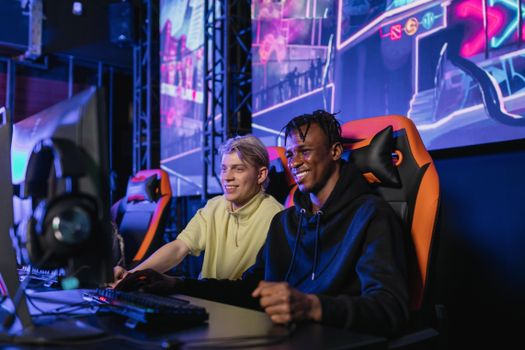
Two young men enjoying a competitive gaming session at an eSports event. Indoors with neon lights. Photo: Alena Darmel / Pexels
In the fast-paced world of competitive gaming, every millisecond and every visual cue can make the difference between victory and defeat. This is precisely why top rated gaming monitors 144Hz have become an indispensable tool for serious gamers and esports enthusiasts alike. The leap from a standard 60Hz display to a 144Hz monitor is not merely an incremental upgrade; it's a transformative experience that fundamentally alters how you perceive and interact with your games. At its core, the refresh rate dictates how many times per second your monitor can update the image on its screen. A 60Hz monitor, common in most standard setups, refreshes 60 times per second. A 144Hz monitor, on the other hand, refreshes 144 times per second, effectively displaying more than double the frames in the same timeframe. This higher frame rate translates directly into smoother motion, reduced input lag, and a more immediate, responsive feel to your gameplay. Imagine tracking an enemy in a first-person shooter: on a 60Hz monitor, their movement might appear as a series of slightly disjointed images, making precise aiming difficult. On a 144Hz monitor, that movement becomes a fluid, continuous stream, allowing for more accurate targeting and quicker reactions. This improved visual fidelity isn't just about aesthetics; it provides a tangible competitive advantage. You'll be able to spot enemies faster, react to sudden movements with greater precision, and generally feel more connected to the game world. Furthermore, the reduced input lag associated with higher refresh rates means that the time between your mouse click or keyboard press and the action appearing on screen is minimized. This can be critical in genres where split-second decisions are paramount, such as fighting games, real-time strategy, and, of course, competitive shooters. Beyond just the refresh rate, many of these top-tier monitors also incorporate crucial features like low response times (often 1ms Gray-to-Gray, or GtG), which further reduce motion blur and ghosting. This combination of high refresh rate and rapid response ensures that the image you see is always crisp and clear, even during the most frantic in-game action. Investing in one of the top rated gaming monitors 144Hz is not just about getting a better picture; it's about optimizing your entire gaming setup for peak performance and giving yourself the best possible chance to excel in your chosen games. It's a foundational component for any serious gamer looking to elevate their experience and competitive edge. For a deeper dive into optimizing your PC for gaming, check out our guide on building a high-performance gaming PC.

Key Features to Look for in 144Hz Gaming Monitors

Young woman gaming at a PC high-tech setup, wearing headphones. Photo: Matheus Bertelli / Pexels
When searching for the top rated gaming monitors 144Hz, it's crucial to go beyond just the refresh rate and delve into the myriad of features that collectively contribute to an exceptional gaming experience. Understanding these specifications will empower you to make an informed decision tailored to your specific needs and budget. Firstly, let's revisit **Response Time**. While 144Hz provides the smoothness, a low response time ensures clarity. Look for monitors with 1ms GtG (Gray-to-Gray) response times, especially if you play competitive titles. This minimizes motion blur and ghosting, where a trailing image appears behind fast-moving objects, which can be distracting and hinder performance. Next, consider the **Panel Type**. The three main types are TN (Twisted Nematic), IPS (In-Plane Switching), and VA (Vertical Alignment). * **TN Panels:** Historically the cheapest and fastest, TN panels offer the best response times. However, they typically have poorer color reproduction and narrower viewing angles. If pure speed is your absolute priority and you primarily game head-on, TN can be a cost-effective choice. * **IPS Panels:** IPS panels excel in color accuracy, vibrancy, and wide viewing angles. They are fantastic for visually rich games and content creation. While traditionally slower than TN, modern IPS panels have achieved impressive 1ms GtG response times, making them a premium choice for gamers who demand both performance and visual fidelity. * **VA Panels:** VA panels offer superior contrast ratios compared to TN and IPS, leading to deeper blacks and more vibrant whites. This makes them excellent for immersive, atmospheric games. Their response times generally fall between TN and IPS, though some newer VA panels boast very low response times. They can sometimes exhibit 'black smearing' in dark scenes, but this is less common in high-quality gaming VA panels. **Adaptive Sync Technology** is another non-negotiable feature. This includes NVIDIA's G-Sync and AMD's FreeSync. Both technologies synchronize your monitor's refresh rate with your GPU's frame rate, eliminating screen tearing and stuttering. G-Sync typically requires a dedicated hardware module in the monitor and is generally more expensive, while FreeSync is an open standard and more widely available, often found in more affordable monitors. Many NVIDIA GPUs now support 'G-Sync Compatible' FreeSync monitors, broadening your options. Ensure your chosen monitor is compatible with your graphics card. **Resolution** also plays a significant role. While 1080p (Full HD) is still popular for achieving high frame rates on less powerful hardware, 1440p (QHD) offers a sharper image without demanding as much GPU power as 4K. For 144Hz gaming, 1080p and 1440p are the sweet spots, offering a great balance between visual clarity and achievable frame rates. 4K at 144Hz requires a very powerful graphics card. Finally, don't overlook **Ergonomics and Connectivity**. A good monitor should offer height, tilt, swivel, and pivot adjustments for comfortable viewing during long gaming sessions. Look for a variety of input ports, including DisplayPort (essential for 144Hz and Adaptive Sync) and HDMI, as well as USB hubs for convenience. By carefully considering these features, you can confidently select one of the top rated gaming monitors 144Hz that perfectly aligns with your gaming setup and preferences, ensuring a truly immersive and competitive experience.

Comparing Top Rated Gaming Monitors 144Hz Across Budgets and Brands
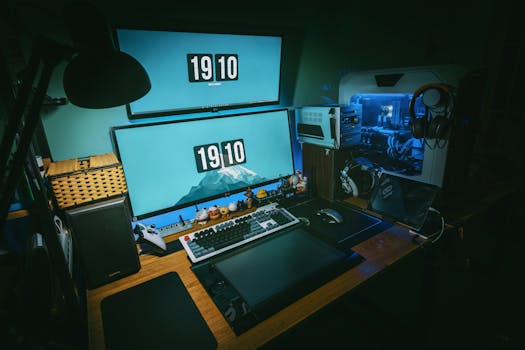
A sleek gaming desk setup featuring dual monitors, keyboard, and gaming PC in a dimly lit home office. Photo: FOX ^.ᆽ.^= ∫ / Pexels
The market for top rated gaming monitors 144Hz is incredibly diverse, offering excellent options across various price points and from numerous reputable brands. Understanding the landscape and what each segment offers can help you pinpoint the ideal display for your budget and specific gaming demands. From entry-level models that provide exceptional value to premium displays packed with cutting-edge technology, there's a 144Hz monitor for every gamer. Starting with the **budget-friendly segment**, you'll typically find 1080p 144Hz monitors. These are fantastic for gamers who want to experience high refresh rates without breaking the bank, especially if they have mid-range graphics cards that excel at pushing high frame rates at 1080p. Brands like AOC, Acer, and ViewSonic often offer compelling options in this category. These monitors usually feature TN or VA panels, prioritizing speed and contrast respectively. While they might not have the absolute best color accuracy or the most robust stands, they deliver the core 144Hz experience effectively. Look for models with FreeSync support, as it's more common and helps smooth out gameplay with both AMD and NVIDIA GPUs (via G-Sync Compatible). Moving into the **mid-range**, the 1440p 144Hz sweet spot emerges. This resolution offers a significant visual upgrade over 1080p, providing much sharper images and more screen real estate, without the extreme GPU demands of 4K. Many gamers consider 1440p 144Hz to be the optimal balance for high-fidelity, high-performance gaming. In this category, you'll start seeing more IPS panel options, bringing excellent color reproduction and wider viewing angles to the table, often still with 1ms GtG response times. Brands like LG, ASUS (TUF series), Dell (S-series), and Gigabyte offer very strong contenders here. You'll also find more robust ergonomic stands, better build quality, and often both FreeSync Premium and G-Sync Compatible certifications. This segment is where you get the most bang for your buck, balancing performance, features, and visual quality. At the **premium end**, you're looking at advanced 1440p and even 4K 144Hz monitors, often with additional features like HDR (High Dynamic Range), mini-LED backlighting, and dedicated G-Sync Ultimate modules. These monitors are designed for enthusiasts with top-tier graphics cards who demand the absolute best in visual quality and performance. Brands like ASUS (ROG series), Alienware, Samsung (Odyssey G7/G9), and Acer (Predator series) dominate this space. You'll find cutting-edge IPS and VA panels with incredible contrast, brightness, and color accuracy, often combined with curved screens for an even more immersive experience. While the price tag is significantly higher, these monitors represent the pinnacle of gaming display technology, offering features that enhance not just gameplay but also general media consumption and productivity. When comparing across brands, always pay attention to user reviews regarding build quality, backlight bleed, and customer support, as these can vary even among top manufacturers. For more information on optimizing your display settings, consider exploring resources on advanced monitor calibration.

Maximizing Your Experience: Tips and Common Mistakes with 144Hz Monitors

A sleek gaming desk setup featuring dual monitors, keyboard, and gaming PC in a dimly lit home office. Photo: FOX ^.ᆽ.^= ∫ / Pexels
Acquiring one of the top rated gaming monitors 144Hz is just the first step; unlocking its full potential requires a bit of optimization and awareness of common pitfalls. Here are some essential tips to maximize your high refresh rate experience and mistakes to avoid: **Tips for Maximizing Your 144Hz Monitor:** * **Verify DisplayPort Connection:** Always use a DisplayPort cable (or a high-speed HDMI 2.0/2.1 cable, depending on the monitor and resolution) to connect your monitor to your graphics card. Older HDMI versions might not support 144Hz at higher resolutions. * **Enable 144Hz in OS Settings:** After connecting, ensure you've manually set the refresh rate to 144Hz in your operating system. For Windows, right-click on the desktop > Display settings > Advanced display settings > Display adapter properties for Display 1 > Monitor tab, and select 144Hz from the dropdown. * **Activate Adaptive Sync:** If your monitor and GPU support it, enable FreeSync or G-Sync. For NVIDIA GPUs, ensure G-Sync is enabled in the NVIDIA Control Panel. For AMD GPUs, enable FreeSync in AMD Radeon Software. This eliminates screen tearing and stuttering. * **Optimize In-Game Settings:** To consistently hit high frame rates (144 FPS or more), you might need to adjust in-game graphics settings. Lowering demanding options like shadows, anti-aliasing, or volumetric effects can significantly boost FPS without sacrificing too much visual quality, allowing you to fully utilize the 144Hz refresh rate. * **Test for Dead Pixels/Backlight Bleed:** Upon receiving your monitor, run some tests for dead pixels and excessive backlight bleed. There are numerous online tools for this. While some minor bleed is normal for IPS panels, excessive bleed can be distracting. **Common Mistakes to Avoid:** * **Using the Wrong Cable:** As mentioned, using an older HDMI cable that can't handle 144Hz at your chosen resolution is a frequent mistake. Always check your monitor's manual for recommended cable types. * **Not Enabling 144Hz:** Many users connect their new monitor and assume it's running at 144Hz automatically. It rarely is; you must manually select it in your display settings. * **Ignoring Adaptive Sync:** Forgetting to enable FreeSync or G-Sync means you're missing out on a crucial feature that enhances smoothness and reduces visual artifacts. * **Underpowered GPU:** A 144Hz monitor won't magically give you 144 FPS. If your graphics card can't consistently push frames at or above your monitor's refresh rate, you won't fully benefit from the high refresh rate. Ensure your GPU is capable of handling your desired games at 144Hz. * **Not Calibrating Colors:** Out of the box, monitor colors can sometimes be inaccurate. Consider using online calibration tools or a hardware calibrator to fine-tune your display for the best visual experience, especially if you have an IPS panel. These tips and precautions will help ensure you get the most out of your investment in a high-performance 144Hz gaming monitor.

Comparison

FeatureBest Overall (1440p IPS)Best Budget (1080p VA)Premium (Curved 1440p VA)
Refresh Rate144Hz (or higher)144Hz144Hz (or higher)
Resolution2560x1440 (QHD)1920x1080 (FHD)2560x1440 (QHD)
Panel TypeIPSVAVA (Curved)
Response Time (GtG)1ms1ms-4ms1ms
Adaptive SyncFreeSync Premium / G-Sync CompatibleFreeSyncFreeSync Premium Pro / G-Sync Compatible
HDR SupportHDR400 (Basic)No / BasicHDR600+
Price Range$300 - $500$150 - $250$450 - $700+

What Readers Say

"Upgrading to a 144Hz monitor was a game-changer for my competitive FPS experience. The smoothness and reduced blur from these top rated gaming monitors 144Hz allowed me to spot enemies faster and improve my K/D ratio significantly. I can never go back to 60Hz now!"

Alex P. · Seattle, WA

"I chose an IPS 144Hz monitor and the colors are absolutely stunning, especially in open-world games. It combines the buttery smooth gameplay with visuals that truly pop, making it a fantastic all-around display for both gaming and daily use."

Sarah L. · Austin, TX

"My new 144Hz VA panel with FreeSync eliminated all screen tearing in my favorite racing games. The deep blacks and vibrant contrast make the visuals incredibly immersive, and the fluid motion is exactly what I needed for high-speed action."

Mark D. · Orlando, FL

"While the 144Hz refresh rate is phenomenal, I did have to spend some time calibrating the colors out of the box to get them just right. Once set up, though, this monitor is a beast for gaming, offering a clear competitive edge."

Jessica M. · Denver, CO

"I primarily play MOBA and strategy games, and even there, the 144Hz refresh rate makes a noticeable difference in UI fluidity and overall responsiveness. It's not just for shooters; any game benefits from the clarity and speed of these top rated gaming monitors 144Hz."

Kevin J. · Boston, MA

Frequently Asked Questions

What's the biggest benefit of a 144Hz monitor over a 60Hz one?

The most significant benefit is significantly smoother motion and reduced input lag. A 144Hz monitor displays more frames per second, making fast-paced action appear incredibly fluid and responsive, which is crucial for competitive gaming where reaction times matter. This can lead to better aiming and overall performance.

Do I need a powerful graphics card to use a 144Hz monitor?

To fully utilize a 144Hz monitor, your graphics card needs to be capable of rendering games at or above 144 frames per second (FPS) at your chosen resolution. While you can still use a 144Hz monitor with a less powerful GPU, you won't consistently hit the high frame rates needed to experience the full benefit. Mid-range to high-end GPUs are generally recommended for optimal performance.

How do I ensure my 144Hz monitor is actually running at 144Hz?

First, ensure you're using a DisplayPort cable (or appropriate HDMI 2.0/2.1). Then, in Windows, right-click on your desktop, go to 'Display settings' > 'Advanced display settings' > 'Display adapter properties for Display 1' (or your monitor) > 'Monitor' tab, and select '144 Hertz' from the 'Screen refresh rate' dropdown menu. Apply the changes.

Are 144Hz monitors expensive?

The price of 144Hz monitors varies widely depending on resolution, panel type, and additional features. Entry-level 1080p 144Hz monitors can be quite affordable (under $200), while premium 1440p or 4K 144Hz monitors with advanced features like HDR or G-Sync Ultimate can range from $400 to over $800. There's a great option for almost every budget.

What's the difference between FreeSync and G-Sync?

Both FreeSync (AMD) and G-Sync (NVIDIA) are adaptive sync technologies that synchronize the monitor's refresh rate with the GPU's frame rate to eliminate screen tearing and stuttering. G-Sync typically requires a dedicated hardware module in the monitor, making it generally more expensive. FreeSync is an open standard, more widely adopted, and often found in more affordable monitors. Many NVIDIA GPUs now support 'G-Sync Compatible' FreeSync monitors.

Who should consider buying one of the top rated gaming monitors 144Hz?

Anyone serious about gaming, especially those playing competitive esports titles like FPS, MOBAs, or fighting games, will greatly benefit from a 144Hz monitor. Even casual gamers will appreciate the significantly smoother and more immersive experience. If you prioritize fluid gameplay and responsiveness, a 144Hz display is a worthwhile investment.

Can a 144Hz monitor cause eye strain?

A 144Hz monitor itself is unlikely to cause more eye strain than a 60Hz monitor; in fact, the smoother motion can sometimes be less strenuous on the eyes. However, prolonged gaming sessions, improper monitor distance, brightness settings, or lack of breaks are common causes of eye strain regardless of refresh rate. Always ensure good ergonomics and take regular breaks.

What are the future trends for high refresh rate gaming monitors?

Future trends include even higher refresh rates (240Hz, 360Hz and beyond becoming more common), increased adoption of OLED and Mini-LED panel technologies for superior contrast and colors, higher resolutions at high refresh rates (e.g., 4K at 240Hz), and further advancements in adaptive sync and low-latency technologies to push the boundaries of gaming immersion and responsiveness.

Ready to elevate your gaming experience to the next level? Explore the ultimate selection of top rated gaming monitors 144Hz and discover the perfect display to match your competitive spirit and visual demands. Make the upgrade today and see what you've been missing.

Topics: top rated gaming monitors 144hzbest 144hz gaming displayshigh refresh rate monitorsgaming monitor buying guideesports monitors
Leo List

IE Escorts NO Escorts US Escorts NZ Escorts AU Escorts
Brampton weed
Adultwork EstrelaBet Vai de Bet R7 Bet Betão Galera Bet Rainbet Bet9ja Shop SportyBet BetKing Sisal Loto Foot Hollywoodbets YesPlay Odibets RushBet Jugabet BetWarrior BetCity MSport betPawa Fortebet