Your Smart Home Devices Compatibility Guide
smart home compatibility

Your Smart Home Devices Compatibility Guide

Navigate the complexities of smart home ecosystems to build a truly unified and intelligent living space.

Start Your Smart Home Journey

Key Takeaways

  • ✓ Compatibility relies on communication protocols (Wi-Fi, Zigbee, Z-Wave, Thread, Bluetooth).
  • ✓ Major platforms (Apple HomeKit, Google Home, Amazon Alexa) act as central hubs.
  • ✓ Matter is an emerging standard aiming to unify smart home device communication.
  • ✓ Not all devices from the same brand are automatically compatible with each other.

How It Works

1
Identify Your Ecosystem

Choose a primary smart home platform like Google Home, Amazon Alexa, or Apple HomeKit. This decision often dictates compatible devices and user experience.

2
Understand Communication Protocols

Familiarize yourself with common protocols (Wi-Fi, Zigbee, Z-Wave, Thread). Devices must share a compatible protocol or connect via a hub that translates them.

3
Check Device Specifications

Before purchasing, always review product details for stated compatibility with your chosen platform and existing protocols. Look for 'Works with Alexa' or 'HomeKit Compatible' badges.

4
Utilize Hubs and Bridges

Many smart home devices require a dedicated hub (e.g., Philips Hue Bridge, SmartThings Hub) to connect to your network and communicate with other devices.

Understanding Smart Home Communication Protocols

Adult man in plaid shirt using smartphone on couch with a robot in the background. Photo: Pavel Danilyuk / Pexels
The foundation of any smart home lies in how devices communicate with each other. This is where communication protocols come into play, acting as the 'language' devices speak. Without a shared language or a translator, devices simply cannot interact. The most common protocols you'll encounter are Wi-Fi, Bluetooth, Zigbee, Z-Wave, and the newer Thread, with Matter aiming to unify them all. Each has its strengths and weaknesses, influencing factors like range, power consumption, and network stability. Wi-Fi is ubiquitous, leveraging your existing home network. It offers high bandwidth, making it ideal for devices that stream video, like security cameras, or require frequent data updates. However, Wi-Fi devices can be power-hungry and may contribute to network congestion if you have many of them. Bluetooth is excellent for short-range, direct device-to-device communication, often used for setting up devices or connecting accessories like smart locks to your phone directly. Its limited range means it's less suitable for a whole-home smart network. Zigbee and Z-Wave are mesh networking protocols specifically designed for smart home devices. They operate on different radio frequencies (2.4 GHz for Zigbee, sub-1 GHz for Z-Wave in the US), offering low power consumption and robust, scalable networks. In a mesh network, each device can relay signals from others, extending the network's range and reliability. This makes them perfect for sensors, smart lights, and thermostats, where low data rates and long battery life are crucial. You'll typically need a dedicated hub for Zigbee or Z-Wave devices to connect them to your Wi-Fi network and smart home platform. Thread is another mesh networking protocol, built on IP (Internet Protocol), which means devices can communicate directly with your network without a proprietary hub, as long as you have a Thread Border Router (often built into newer smart speakers or Wi-Fi routers). It's known for its speed, security, and low power consumption, making it a strong contender for the future of smart homes. Understanding these protocols is the first crucial step in building a compatible and efficient smart home ecosystem. For a deeper dive into networking, explore this comprehensive guide to home network optimization.

Navigating Smart Home Platforms and Ecosystems
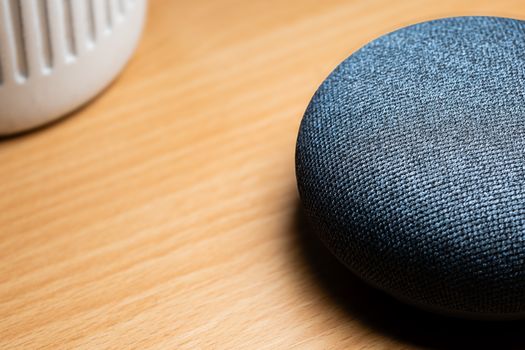
A close-up view of a smart speaker on a wooden table, capturing texture details. Photo: William Bradshaw / Pexels
Once you understand the underlying communication protocols, the next layer of compatibility involves smart home platforms or ecosystems. These are the central brains of your smart home, providing a unified interface to control and automate all your devices. The dominant players in the US market are Amazon Alexa (via Echo devices), Google Home (via Nest devices), and Apple HomeKit (via HomePods and Apple TV). Choosing a primary platform is often the most significant decision you'll make, as many devices are designed to integrate seamlessly with one or more of these. Amazon Alexa and Google Home are arguably the most open ecosystems, supporting a vast array of third-party devices. They leverage cloud-based services for voice control, routines, and integrations. Devices typically carry a 'Works with Alexa' or 'Works with Google Assistant' badge, indicating direct compatibility. While these platforms offer immense flexibility, managing a large number of devices from different manufacturers can sometimes lead to a fragmented experience, even if they're all technically 'compatible.' Apple HomeKit, on the other hand, is known for its stringent security and privacy standards. Devices that support HomeKit must meet specific hardware and software requirements, often resulting in a more cohesive and reliable user experience. However, the selection of HomeKit-compatible devices has historically been smaller compared to Alexa or Google Home, though this gap is closing. HomeKit uses an iPhone, iPad, or HomePod/Apple TV as a hub for remote access and automation. Beyond these giants, you also have manufacturer-specific ecosystems like Samsung SmartThings, Philips Hue, and Hubitat. These often require their own hubs but can sometimes integrate with the larger platforms, acting as a bridge for their proprietary devices. For example, a Philips Hue Bridge allows your Hue lights to be controlled by Alexa or Google Home. The key is to look for explicit mentions of compatibility with your chosen platform on the product packaging or specifications. A device might support Zigbee, but if it doesn't explicitly state 'Works with Google Home,' you might need an additional bridge or workaround to integrate it fully.

The Promise of Matter: A Unified Smart Home Standard

Modern minimalist design featuring an electronic device on a sleek desk. Photo: Anete Lusina / Pexels
The fragmentation in the smart home market has long been a major barrier for consumers. Imagine buying a new appliance and having to check if it speaks the same 'language' as your existing ones. This is the problem Matter aims to solve. Matter is a new, open-source connectivity standard developed by the Connectivity Standards Alliance (CSA), with support from tech giants like Apple, Google, Amazon, and Samsung. Its primary goal is to simplify smart home compatibility, allowing devices from different manufacturers and ecosystems to work together seamlessly, out of the box. At its core, Matter builds on IP (Internet Protocol) and uses existing technologies like Wi-Fi, Thread, and Ethernet for communication. This means a Matter-certified device can connect to any Matter-certified controller or platform, regardless of the brand. For example, a Matter-enabled smart light from one brand could be controlled by an Apple HomePod, a Google Nest Hub, or an Amazon Echo device simultaneously, without needing separate apps or bridges for basic functionality. This is a game-changer for users, significantly reducing complexity and setup headaches. Matter also emphasizes local control and enhanced security. Many Matter devices will be able to operate locally, meaning they don't always need to send data to the cloud, improving responsiveness and privacy. The standard includes robust security features by design, providing peace of mind for users. While Matter is still relatively new, a growing number of devices and platforms are becoming Matter-certified, and many existing devices are receiving software updates to add Matter support. When shopping for new smart home devices, looking for the Matter logo is becoming increasingly important. It signals a future-proof purchase that promises broader compatibility and easier integration into your smart home ecosystem. However, it's important to note that while Matter simplifies compatibility, it doesn't entirely eliminate the need for understanding your network or chosen ecosystem for advanced features. For more on future tech trends, check out this article on emerging technologies.

Tips for Ensuring Smart Home Compatibility and Avoiding Pitfalls

A business professional demonstrating virtual reality controllers during a presentation. Photo: RDNE Stock project / Pexels
Building a truly smart home that works cohesively requires careful planning and attention to detail. Here are essential tips to ensure compatibility and avoid common frustrations: * **Choose a Primary Ecosystem and Stick to It (Mostly):** While Matter is changing things, for now, picking one main platform (Alexa, Google Home, HomeKit) simplifies device selection and management. Prioritize devices that explicitly support your chosen ecosystem. * **Read Reviews and Check Compatibility Lists:** Before buying, always check the product's official specifications and cross-reference them with your platform's compatibility lists. User reviews often highlight compatibility issues that aren't immediately obvious. * **Start Small and Expand Gradually:** Don't try to automate your entire home at once. Begin with a few key devices (e.g., smart lights and a thermostat) and ensure they work well together before adding more. This allows you to learn and troubleshoot effectively. * **Understand the Role of Hubs:** Many Zigbee and Z-Wave devices require a dedicated hub. Ensure you have the necessary hub and that it's compatible with your chosen ecosystem. Some smart speakers now have built-in hubs (e.g., Echo devices often include a Zigbee hub). * **Consider Future-Proofing with Matter:** As Matter gains traction, prioritizing Matter-certified devices will offer the best long-term compatibility and flexibility. Look for the Matter logo on packaging. * **Network Stability is Key:** A robust Wi-Fi network is crucial for smart home performance. Ensure your router can handle multiple connected devices and consider mesh Wi-Fi systems for larger homes. * **Don't Forget Firmware Updates:** Keep your smart home devices and hubs updated with the latest firmware. Manufacturers frequently release updates to improve compatibility, add features, and fix bugs. * **Beware of Region-Specific Devices:** Some smart home devices, especially those using Z-Wave, operate on different radio frequencies in different regions (e.g., US vs. EU). Always ensure the device is designed for your region. * **Document Your Setup:** Keep a record of your devices, their manufacturers, protocols, and how they connect. This can be invaluable for troubleshooting or when adding new devices. * **Utilize IFTTT for Bridging Gaps:** If This Then That (IFTTT) can sometimes bridge compatibility gaps between devices or services that don't natively integrate, allowing you to create custom automations.

Comparison

FeatureAmazon AlexaGoogle HomeApple HomeKitMatter (Emerging)
Device SupportVery BroadVery BroadStrict, GrowingUniversal (Goal)
Voice AssistantAlexaGoogle AssistantSiriIntegrates with all
Primary ProtocolCloud/Wi-Fi (Zigbee hub in some Echo)Cloud/Wi-Fi (Thread Border Router in some Nest)Local/Wi-Fi/ThreadWi-Fi/Thread/Ethernet
Security FocusGoodGoodExcellentExcellent
Ease of SetupGoodGoodExcellentExcellent (Goal)

What Readers Say

"This smart home devices compatibility guide saved me so much headache! I was about to buy a new thermostat that wouldn't have worked with my existing setup. Now I understand protocols and platforms way better."

Sarah J. · Austin, TX

"Finally, a clear explanation of Zigbee vs. Z-Wave! I've been struggling to get all my devices talking, and this guide clarified why certain hubs are essential. My smart home is much smoother now."

Mark D. · Seattle, WA

"Thanks to this smart home devices compatibility guide, I successfully integrated my new smart blinds with my Google Home system. The tips on checking product specs were incredibly helpful and prevented a costly mistake."

Jessica L. · Miami, FL

"The guide is very thorough, especially on Matter, which I'm excited about. While it's great, I still wish there was a single, universal compatibility checker for all devices. But this is the next best thing for understanding the landscape."

David P. · Denver, CO

"As a newbie to smart homes, the 'How It Works' section was a lifesaver. It broke down complex concepts into easy steps, allowing me to confidently choose devices that actually work together. Highly recommend this smart home devices compatibility guide!"

Emily R. · Chicago, IL

Frequently Asked Questions

What is the most crucial factor for smart home devices compatibility guide?

The most crucial factor is understanding the communication protocols (Wi-Fi, Zigbee, Z-Wave, Thread) and ensuring your chosen devices and smart home platform (Alexa, Google Home, HomeKit) either share the same protocol or have a compatible hub to translate between them. Without this alignment, devices simply cannot communicate effectively.

Will all my smart home devices work together if they're from the same brand?

Not necessarily. While devices from the same brand often have better interoperability, it's not guaranteed. Always check individual product specifications for compatibility with other devices in that brand's ecosystem, especially if they use different communication protocols or were released at different times.

How do I check if a smart device is compatible with my Google Home or Amazon Alexa?

Look for 'Works with Google Assistant' or 'Works with Alexa' badges on the product packaging or in the online specifications. You can also check the official compatibility lists provided by Google and Amazon on their respective smart home support pages.

Is Matter going to solve all smart home compatibility issues?

Matter aims to significantly simplify compatibility by providing a unified standard for device communication across different ecosystems. While it won't instantly solve every legacy issue, it promises a future where devices from various brands can work together seamlessly, greatly reducing the current fragmentation and setup complexity.

What's the difference between a smart home hub and a smart speaker?

A smart home hub (like SmartThings or Hubitat) is primarily designed to connect and control various smart devices, often supporting multiple protocols like Zigbee and Z-Wave. A smart speaker (like Amazon Echo or Google Nest Mini) primarily offers voice control and plays audio, though many newer smart speakers now integrate hub functionalities (e.g., built-in Zigbee or Thread Border Routers).

Who should use a smart home devices compatibility guide?

Anyone planning to build or expand a smart home system, from beginners to experienced users, will benefit. It's especially useful for those looking to integrate devices from different manufacturers, choose a new ecosystem, or troubleshoot existing compatibility issues to ensure a cohesive and functional smart living space.

Are there security risks with connecting many different smart home devices?

Yes, connecting numerous devices can introduce security risks if not managed properly. Ensure all devices are from reputable manufacturers, keep firmware updated, use strong, unique passwords, and consider network segmentation. Standards like Matter are also designed with enhanced security features to mitigate these risks.

What's the next big trend in smart home compatibility beyond Matter?

Beyond Matter, the next big trend is likely increased local control and edge computing, reducing reliance on cloud services for faster response times and improved privacy. We'll also see more AI-driven automation that proactively anticipates needs, making homes truly intelligent rather than just remotely controllable, further simplifying the user experience.

Armed with this comprehensive smart home devices compatibility guide, you're now ready to build a truly intelligent, seamless, and personalized smart home. Start planning your connected living space today, ensuring every device works in harmony for ultimate convenience and control.

Topics: smart home compatibilitysmart home protocolssmart home platformsdevice integrationhome automation
Leo List

IE Escorts NO Escorts US Escorts NZ Escorts AU Escorts
Brampton weed
Adultwork EstrelaBet Vai de Bet R7 Bet Betão Galera Bet Rainbet Bet9ja Shop SportyBet BetKing Sisal Loto Foot Hollywoodbets YesPlay Odibets RushBet Jugabet BetWarrior BetCity MSport betPawa Fortebet