✓ Smart home setup begins with a robust Wi-Fi network and a central hub.
✓ Most devices require a companion app for initial configuration and control.
✓ Interoperability standards like Matter and Thread are simplifying integration.
✓ Security is paramount; always use strong passwords and enable two-factor authentication.
How It Works
1
Plan Your Smart Home Ecosystem
Before buying, define your needs and choose devices compatible with a central platform (e.g., Alexa, Google Home, Apple HomeKit). This ensures seamless communication and control across all your smart devices.
2
Prepare Your Network and Hub
Ensure your home Wi-Fi is strong and stable. Install your smart home hub (if required) and connect it to your router, powering it on to establish its network presence.
3
Install and Configure Devices
Follow each device's specific instructions for physical installation, then use its companion app or your central hub's app to connect it to your Wi-Fi and complete the digital setup.
4
Automate and Secure
Create routines and scenes to automate tasks based on schedules or triggers. Implement strong security measures like unique passwords and network segmentation to protect your smart home.
Understanding Your Smart Home Ecosystem
Photo: Pavel Danilyuk / Pexels
Embarking on the journey of setting up smart home devices can feel daunting, but with a clear understanding of the underlying ecosystem, it becomes an exciting and rewarding endeavor. At its core, a smart home ecosystem is a network of interconnected devices that communicate with each other and with you, often through a central hub or a smart assistant. The first crucial step is to decide which ecosystem best suits your needs and existing technology. The dominant players in the market are Amazon Alexa, Google Home (Google Assistant), and Apple HomeKit. Each offers a unique user experience, device compatibility, and integration capabilities.
Amazon Alexa, for instance, boasts the widest range of compatible devices and a robust skill set, making it highly versatile for users who prioritize broad device support and voice control. Google Home, deeply integrated with Google's search and AI capabilities, excels at natural language processing and offers seamless integration with Android devices and Google services. Apple HomeKit, while having a more curated and often premium selection of devices, is praised for its strong emphasis on privacy and its intuitive control through the Home app on iOS devices. Your choice of ecosystem will largely dictate the devices you purchase and how they interact. It's not uncommon for users to start with one ecosystem and gradually expand, or even to run a hybrid system, though this can sometimes introduce complexities in management.
Beyond the central assistant, consider the communication protocols that your devices will use. Wi-Fi is the most common, allowing devices to connect directly to your home network. However, for lower power consumption and mesh networking capabilities, protocols like Zigbee and Z-Wave are frequently employed, often requiring a dedicated hub to bridge them to your Wi-Fi network. Newer standards like Matter and Thread are emerging to simplify this landscape, aiming to create a universal language for smart devices, promising greater interoperability regardless of brand or ecosystem. Understanding these foundational elements – your chosen ecosystem, its central hub (if any), and the communication protocols – is paramount before you even unbox your first smart gadget. It’s about building a cohesive, functional system, not just a collection of gadgets. A well-planned ecosystem ensures that all your devices work together harmoniously, enhancing convenience, security, and energy efficiency. Exploring smart home security systems can be a great next step after establishing your core ecosystem.
Step-by-Step Guide to Connecting Your Smart Devices
Photo: Imthiyaz Syed / Pexels
Once you've chosen your smart home ecosystem and have a clear understanding of your devices' compatibility, the actual process of connecting them can begin. While specific steps vary slightly between manufacturers and device types, a general workflow applies to most smart home installations. The first physical step is often to ensure your home network is robust. A strong, stable Wi-Fi signal is critical for most smart devices. Consider upgrading your router or adding Wi-Fi extenders if you have dead zones. Many smart devices operate on the 2.4GHz Wi-Fi band, so ensure this band is enabled and accessible on your router.
Next, physically install your device according to the manufacturer's instructions. This might involve screwing in a smart light bulb, plugging in a smart plug, or mounting a smart camera. Pay close attention to power requirements and placement for optimal performance. For instance, smart thermostats need to be wired correctly, and smart doorbells often replace existing ones. After physical installation, the digital setup begins. This typically involves downloading the device's companion app to your smartphone or tablet. Open the app and create an account, if necessary. The app will then guide you through the process of connecting the device to your Wi-Fi network. This usually involves putting the device into 'pairing mode' (often indicated by a blinking light) and selecting your Wi-Fi network and entering its password within the app.
Once connected to Wi-Fi, the next step is to integrate the device with your chosen smart home ecosystem. For Amazon Alexa or Google Home, you'll open their respective apps, navigate to the 'Add Device' or 'Set Up Device' section, and follow the prompts. You might need to 'enable a skill' for Alexa or 'link an account' for Google Assistant to allow them to communicate with your new device. For Apple HomeKit, devices often have a QR code or an 8-digit setup code that you scan with the Home app. This process is generally streamlined and secure. After successful integration, you can name your device (e.g., 'Living Room Light,' 'Front Door Camera') and assign it to a specific room for easier organization and voice control. Test the device to ensure it responds to commands from your smart assistant or app. Repeat this process for each new smart device you add to your home. Patience is key, especially with multiple devices, but following these steps systematically will lead to a fully connected smart home experience.
Optimizing and Automating Your Smart Home Experience
Photo: Anete Lusina / Pexels
Setting up individual smart devices is just the beginning; the real power of a smart home lies in its ability to automate tasks and create personalized experiences. Once your devices are connected and integrated, it's time to explore the advanced features that transform a collection of gadgets into a truly intelligent home. The cornerstone of optimization is creating routines, automations, or scenes. These features allow you to program multiple devices to act in concert based on specific triggers or schedules. For example, you could create a 'Good Morning' routine that, at 7 AM, turns on your bedroom lights to 50% brightness, starts your smart coffee maker, and reads out the day's weather forecast.
Similarly, a 'Leaving Home' routine could lock your smart doors, turn off all lights, adjust your smart thermostat to an energy-saving temperature, and arm your security system. The possibilities are virtually endless and limited only by your imagination and the capabilities of your devices. Most smart home ecosystems offer robust routine creation tools within their respective apps. You can set triggers based on time, location (geofencing), sensor input (e.g., motion detected, door opened), or even specific voice commands. Experiment with different combinations to find what works best for your lifestyle.
Beyond routines, consider how your devices can interact with each other. For example, a smart motion sensor in your hallway could trigger a smart light to turn on only when it's dark, providing convenience and saving energy. Smart plugs can turn any 'dumb' appliance into a smart one, allowing you to include it in your routines. Regularly reviewing and refining your automations is crucial as your needs evolve or as you add new devices.
Another critical aspect of optimization is maintaining your system. This includes regularly updating device firmware and apps, which often brings new features, performance improvements, and crucial security patches. Periodically check your Wi-Fi network for interference or weak spots, as network performance directly impacts smart device reliability. Finally, don't overlook the importance of security and privacy. Use strong, unique passwords for all your smart home accounts and enable two-factor authentication whenever possible. Understand how your data is being used by device manufacturers and adjust privacy settings accordingly. Learning about advanced smart home features can further enhance your setup.
Common Pitfalls and Pro Tips for a Seamless Smart Home Setup
Photo: panumas nikhomkhai / Pexels
While the promise of a smart home is convenience and efficiency, the path to achieving it can sometimes be fraught with challenges. Being aware of common pitfalls and employing some pro tips can save you a lot of frustration and ensure a smoother setup process.
**Common Pitfalls:**
* **Incompatible Devices:** One of the biggest mistakes is buying devices that don't work together or with your chosen ecosystem. Always check compatibility before purchasing.
* **Weak Wi-Fi Network:** Many smart devices rely heavily on a stable Wi-Fi connection. A weak or overcrowded network will lead to connectivity issues, slow responses, and device dropouts.
* **Ignoring Security:** Using default passwords or weak credentials leaves your smart home vulnerable to cyber threats. Lack of awareness about privacy settings can also lead to unintended data sharing.
* **Overcomplicating Automations:** Starting with overly complex routines can be overwhelming. Begin with simple automations and gradually build up as you get comfortable.
* **Forgetting Firmware Updates:** Outdated firmware can cause bugs, security vulnerabilities, and missed features. Neglecting updates is a common oversight.
**Pro Tips for a Seamless Setup:**
* **Start Small, Expand Gradually:** Don't try to automate your entire home at once. Pick one area or function (e.g., lighting, security) and expand from there. This allows you to learn the ropes without being overwhelmed.
* **Name Devices Logically:** Use clear, descriptive names for your devices (e.g., "Kitchen Light," "Bedroom Fan"). This makes voice commands and app control much easier.
* **Organize with Rooms and Groups:** Utilize the room and group features in your smart home app. This allows you to control multiple devices simultaneously (e.g., "Turn off living room lights").
* **Leverage Guest Wi-Fi (if available):** Some routers allow you to create a separate guest network. Connecting your smart devices to this network can segment them from your primary devices, offering an additional layer of security.
* **Document Your Setup:** Keep a record of device names, IP addresses (if static), network passwords, and any custom routines. This is invaluable for troubleshooting or when adding new devices.
* **Regularly Test Automations:** Periodically check your routines and scenes to ensure they are still functioning as intended, especially after system updates or power outages.
* **Consider a UPS for Your Hub/Router:** A small Uninterruptible Power Supply (UPS) can keep your smart home hub and router online during brief power flickers, preventing devices from going offline and requiring manual resets.
Comparison
Feature
Amazon Alexa Ecosystem
Google Home Ecosystem
Apple HomeKit Ecosystem
Device Compatibility
Very Broad (Thousands)
Broad (Hundreds)
Curated (Fewer, Premium)
Voice Assistant Quality
Excellent (Skills)
Excellent (AI Integration)
Good (Privacy Focused)
Ease of Setup
Generally Easy
Easy
Very Easy (Scan Code)
Privacy Focus
Moderate
Moderate
High
Cost of Entry
Low to Moderate
Low to Moderate
Moderate to High
Mobile App Control
Alexa App
Google Home App
Home App (iOS/macOS)
Required Hub
Often not needed (Cloud)
Often not needed (Cloud)
Apple device (iPad/HomePod/Apple TV)
Interoperability with Matter
✓
✓
✓
What Readers Say
★★★★★
"This guide on how to set up smart home devices was incredibly helpful! I was overwhelmed by all the options, but the ecosystem breakdown made choosing a starting point so much clearer. My lights and thermostat are now perfectly integrated."
Sarah J. · Austin, TX
★★★★★
"I followed the step-by-step instructions for my smart plugs and camera, and everything connected on the first try. The tips on naming devices logically were a game-changer for voice commands. Highly recommend this article!"
Mark D. · Seattle, WA
★★★★★
"Thanks to this guide, I finally have a fully automated 'Good Morning' routine that wakes me up gently and starts my coffee. It's made my mornings so much smoother and less stressful. The advice on planning was spot on."
Emily R. · Miami, FL
★★★★★
"The article provided a solid foundation for my smart home setup. While some specific device steps still required consulting individual manuals, the overall framework and troubleshooting tips were invaluable for avoiding common issues."
David L. · Denver, CO
★★★★★
"As someone completely new to smart home tech, I appreciated the clear, jargon-free explanations. The section on common pitfalls helped me anticipate and avoid problems, making my initial setup of smart lighting a breeze."
Jessica M. · Chicago, IL
Frequently Asked Questions
What's the absolute first thing I need to do before I set up smart home devices?
The absolute first step is to ensure you have a reliable and robust Wi-Fi network. Most smart devices rely on a stable internet connection, so a strong router and good signal coverage throughout your home are fundamental. After that, choose a smart home ecosystem (like Alexa, Google Home, or HomeKit) that aligns with your preferences and will serve as your central control point.
Are smart home devices secure from hackers?
While no system is 100% immune, smart home devices can be very secure if you take the right precautions. Always use strong, unique passwords, enable two-factor authentication, keep device firmware updated, and consider using a separate guest Wi-Fi network for your smart devices to segment them from your primary network. Reputable brands prioritize security in their design.
How do I connect smart devices from different brands?
Connecting devices from different brands typically involves integrating them all with a single, overarching smart home ecosystem like Amazon Alexa, Google Home, or Apple HomeKit. These ecosystems act as a bridge, allowing various compatible devices to be controlled from one app or voice assistant. Newer standards like Matter and Thread are also emerging to further improve interoperability across brands.
Is setting up a smart home expensive?
The cost of setting up a smart home can vary widely. You can start with a few affordable smart plugs or light bulbs for under $50, or invest in a comprehensive system with security cameras, smart locks, and thermostats costing hundreds or thousands. The key is to start small with devices that offer the most value to you, and gradually expand your system over time as your budget and needs allow.
How do Matter and Thread simplify smart home setup compared to older protocols?
Matter and Thread aim to simplify setup by providing a universal standard for smart devices, regardless of manufacturer or ecosystem. Matter acts as a common language, allowing devices to communicate directly with each other and with multiple smart home platforms simultaneously. Thread is a mesh networking protocol that creates a self-healing, low-power network, improving reliability and range without needing a central hub for every device, unlike traditional Zigbee or Z-Wave.
Who should consider setting up smart home devices?
Anyone looking to enhance convenience, improve security, or increase energy efficiency in their home should consider setting up smart home devices. This includes busy professionals seeking automation, homeowners wanting better security monitoring, individuals with mobility challenges benefiting from voice control, or environmentally conscious users aiming to optimize energy consumption.
What if my Wi-Fi goes down? Will my smart home still work?
Most cloud-dependent smart home devices will lose some or all functionality if your Wi-Fi goes down, as they rely on internet connectivity for commands and automation. However, some devices, especially those using local control or protocols like Zigbee/Z-Wave via a local hub, might retain basic functionality or work with pre-programmed routines even without an internet connection, though remote access will be lost.
What are the future trends in setting up smart home devices?
Future trends point towards greater interoperability through standards like Matter, more advanced AI and machine learning for predictive automation, enhanced privacy controls, and increased adoption of edge computing to process data locally rather than in the cloud. We'll also see more seamless integration with health monitoring and ambient computing, where technology fades into the background.
Ready to transform your living space into an intelligent, connected home? With this comprehensive guide on how to set up smart home devices, you have all the knowledge to begin your journey. Start small, plan smart, and enjoy the convenience and efficiency that modern smart home technology brings.

 Photo: Pavel Danilyuk / Pexels
 Photo: Imthiyaz Syed / Pexels
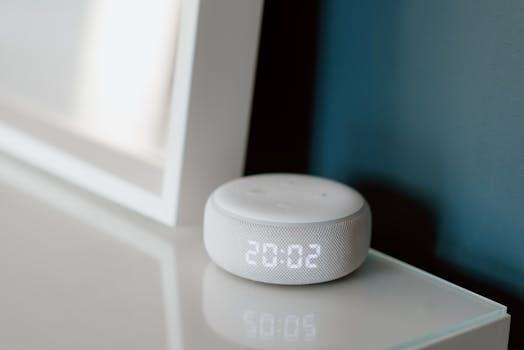 Photo: Anete Lusina / Pexels
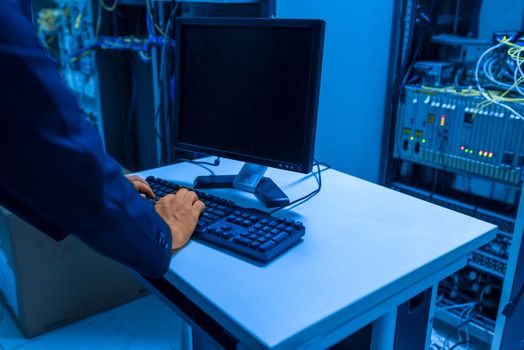 Photo: panumas nikhomkhai / Pexels