How to Secure Your Home Network: The Ultimate Guide
how to secure your home network

How to Secure Your Home Network: The Ultimate Guide

Laptop displaying a security lock icon on a table with a potted plant and clock.Photo: Dan Nelson / Pexels

How to Secure Your Home Network: The Ultimate Guide

Safeguard your digital life by implementing robust security measures for your home network and connected devices.

Start Securing Now

Key Takeaways

  • ✓ Most home networks are vulnerable to common cyber threats.
  • ✓ Weak Wi-Fi passwords are a primary entry point for attackers.
  • ✓ IoT devices introduce new security risks if not properly secured.
  • ✓ Regular software updates are crucial for patching vulnerabilities.

How It Works

1
Assess Current Vulnerabilities

Identify weak passwords, unencrypted connections, and outdated firmware on your router and connected devices. This initial audit sets the baseline for your security improvements.

2
Implement Foundational Security

Change default credentials, enable strong encryption (WPA3), and set up a guest network. These steps create a robust first line of defense against unauthorized access.

3
Secure Connected Devices

Update all smart devices, use unique, strong passwords, and segment IoT devices if possible. This prevents one compromised device from jeopardizing your entire network.

4
Maintain and Monitor

Regularly review router settings, check for new firmware updates, and monitor network activity for suspicious behavior. Ongoing vigilance ensures your network remains secure against evolving threats.

Understanding the Threats: Why Home Network Security Matters

Man holding a 'FRAUD' sign in a tech setting, symbolizing cybersecurity threats.Photo: Tima Miroshnichenko / Pexels
In today's hyper-connected world, your home network is the central nervous system of your digital life. From streaming movies and working remotely to managing smart appliances and communicating with loved ones, nearly every aspect of modern living relies on a stable and secure internet connection. Yet, many homeowners overlook the critical importance of robust home network security, leaving themselves vulnerable to a myriad of cyber threats. These threats aren't just theoretical; they are real, pervasive, and constantly evolving, posing significant risks to your privacy, financial security, and personal data. Understanding these dangers is the first step in building an impenetrable digital fortress around your home. One of the most common threats is unauthorized access to your Wi-Fi network. A weak or default password is an open invitation for opportunistic hackers to piggyback on your internet connection, potentially slowing down your service, consuming your bandwidth, and, more alarmingly, gaining a foothold into your local network. Once inside, they can snoop on your unencrypted traffic, steal personal information, or even launch further attacks against your connected devices. Imagine sensitive financial data, private conversations, or family photos being intercepted – the consequences can be devastating. Beyond simple piggybacking, attackers can also employ more sophisticated techniques like 'man-in-the-middle' attacks, where they intercept communication between your devices and the internet, or 'phishing' attempts designed to trick you into revealing login credentials. Another significant concern arises from the proliferation of Internet of Things (IoT) devices. Smart thermostats, security cameras, doorbells, light bulbs, and even smart refrigerators are now common in many homes. While these devices offer convenience, they often come with inherent security vulnerabilities, such as default passwords, unpatched software, and insecure communication protocols. A compromised IoT device can serve as a backdoor into your entire network, allowing attackers to spy on your home, manipulate your smart systems, or even use your devices as part of a botnet for larger cyberattacks. This interconnectedness means that the weakest link in your digital chain can compromise everything else. For a deeper dive into protecting your smart home, consider reading about securing smart home devices. Furthermore, malware and ransomware attacks are increasingly targeting home users, encrypting files and demanding payment, or simply stealing data for identity theft. These threats underscore the urgent need for a proactive and comprehensive approach to securing your home network, ensuring that your digital sanctuary remains private and protected.

The Foundation: Securing Your Router and Wi-Fi Connection
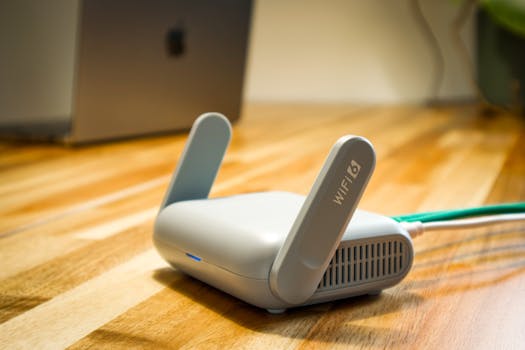
A sleek WiFi 6 router with antennas and cable on a wooden desk, perfect for modern home networks.Photo: Pascal 📷 / Pexels
Your router is the gateway to your home network and, consequently, to the internet. It acts as the first line of defense, making its security paramount. Many routers come with default usernames and passwords (e.g., 'admin/admin' or 'admin/password'), which are widely known and easily exploited by attackers. The very first step you must take is to change these default credentials to a strong, unique password. This password should be complex, combining uppercase and lowercase letters, numbers, and symbols, and ideally be at least 12-16 characters long. Avoid using personal information or easily guessable phrases. Equally important is changing the default Wi-Fi network name (SSID). While not a security measure in itself, a generic SSID can make your network easier to identify and target. Next, focus on your Wi-Fi encryption protocol. Always ensure your router is using the strongest available encryption, which is currently WPA3. If WPA3 is not an option due to older devices, WPA2-AES is the next best choice. Avoid WEP and WPA (TKIP) at all costs, as these protocols have known vulnerabilities that can be exploited in minutes. WPA3 provides enhanced encryption and individual data encryption for each device, even on public Wi-Fi, offering a significant leap in security over its predecessors. Setting a strong, unique password for your Wi-Fi network, distinct from your router's administrative password, is also crucial. This passphrase should be long and random, making it difficult for brute-force attacks to succeed. Another critical router setting to configure is the firewall. Most modern routers have a built-in firewall that, when enabled, filters incoming and outgoing network traffic, blocking unauthorized access attempts. Ensure this firewall is active and configured to a high-security setting. While some advanced users might tweak specific rules, for most home users, the default 'high' or 'medium' security settings are sufficient. Additionally, consider disabling remote management access to your router, unless absolutely necessary. If remote access is enabled, ensure it uses secure protocols like HTTPS and a very strong password, as it creates an external entry point to your router's administration interface. Regularly checking your router's firmware for updates is also non-negotiable. Manufacturers frequently release updates that patch security vulnerabilities and improve performance. Treat your router's firmware updates with the same urgency as operating system updates on your computer; they are vital for maintaining its security posture against newly discovered threats. Finally, creating a separate guest network, isolated from your main network, is a best practice. This allows visitors to access the internet without having access to your personal devices or data, further segmenting and securing your primary network.

Beyond the Router: Securing Your Devices and Digital Habits

A hand holding a smartphone displaying a VPN app screen for secure online browsing.Photo: Dan Nelson / Pexels
While a secure router is the bedrock of your home network, its effectiveness is diminished if your connected devices are vulnerable. Every device that connects to your network – computers, smartphones, tablets, smart TVs, and IoT gadgets – represents a potential entry point for attackers. The first and most critical step for all devices is to keep their software and firmware updated. Operating systems, web browsers, applications, and device firmware often contain security vulnerabilities that manufacturers patch through updates. Enabling automatic updates whenever possible ensures you're always running the most secure versions. Neglecting updates is akin to leaving your front door unlocked after the manufacturer has sent you a new, more robust lock. Strong, unique passwords are not just for your router and Wi-Fi; they are essential for every online account and device. Reusing passwords across multiple services dramatically increases your risk. If one service is breached, all accounts using that same password become vulnerable. A password manager is an invaluable tool for generating and storing complex, unique passwords for all your accounts, reducing the burden of remembering them. Complementing strong passwords, enable two-factor authentication (2FA) or multi-factor authentication (MFA) wherever available. This adds an extra layer of security, typically requiring a code from your phone or a biometric scan in addition to your password, making it significantly harder for unauthorized users to access your accounts even if they have your password. For a comprehensive approach to personal cybersecurity, explore personal digital security best practices. Consider network segmentation, especially if you have numerous IoT devices. Some advanced routers allow you to create separate virtual local area networks (VLANs). By placing your smart home devices on a separate network segment, you can limit their ability to communicate with your primary devices (computers, phones) and vice versa. This means if an IoT device is compromised, the attacker's access is contained to that segment, preventing them from easily moving to more sensitive parts of your network. Additionally, be mindful of the information you share online and the links you click. Phishing attacks, malware-laden websites, and suspicious email attachments are still prevalent threats that can bypass even the most robust network security if you're not vigilant. Use reputable antivirus and anti-malware software on your computers and smartphones, and ensure they are regularly updated and actively scanning. Finally, review privacy settings on all your devices and online accounts, minimizing the data you share and ensuring you understand who has access to your information. Adopting these habits transforms your home network from a passive target into an actively defended digital environment.

Advanced Defenses and Common Mistakes to Avoid

A group of people in a dark room working on computers, related to cybersecurity.Photo: Tima Miroshnichenko / Pexels
Once you've covered the foundational and device-specific security measures, it's time to consider advanced defenses that can further harden your home network. Implementing a Virtual Private Network (VPN) is a powerful way to enhance your privacy and security, especially when connecting to public Wi-Fi, but also beneficial for home use. A VPN encrypts your internet traffic and routes it through a secure server, making it much harder for third parties to intercept your data or monitor your online activities. While a VPN primarily protects your outbound traffic, some advanced VPN routers can encrypt all traffic flowing through your home network, offering comprehensive protection. Another advanced consideration is DNS over HTTPS (DoH) or DNS over TLS (DoT). These protocols encrypt your DNS queries, preventing your Internet Service Provider (ISP) or other entities from seeing which websites you're visiting. While not a complete privacy solution, it adds another layer of anonymity to your online activities. Some routers and operating systems now offer built-in support for DoH/DoT, or you can configure specific applications to use them. For tech-savvy users, exploring intrusion detection systems (IDS) or intrusion prevention systems (IPS) can offer real-time monitoring and blocking of suspicious network activity, though these are typically more complex to set up and manage. **Common Mistakes to Avoid:** * **Ignoring Software Updates:** This is arguably the biggest mistake. Outdated software is a treasure trove for attackers. * **Using Default Passwords:** Forgetting to change the default admin credentials on your router or IoT devices is an open invitation for compromise. * **Weak Wi-Fi Passwords:** Simple, guessable Wi-Fi passwords negate all other encryption efforts. * **Disabling Firewall:** Turning off your router's built-in firewall leaves your network exposed to direct attacks. * **Not Using a Guest Network:** Allowing visitors direct access to your main network exposes all your devices. * **Clicking Suspicious Links:** Falling for phishing scams can bypass technical security measures. * **Overlooking IoT Device Security:** Treating smart devices as inherently secure is a dangerous assumption. * **Not Backing Up Data:** While not directly network security, data loss from ransomware or breaches can be mitigated by regular backups. * **Public Wi-Fi Without VPN:** Connecting to unsecured public networks without a VPN is a major privacy risk. * **Sharing Too Much Online:** Personal information shared on social media can be used for social engineering attacks.

Comparison

FeatureBest OptionAlternative 1Alternative 2
Wi-Fi EncryptionWPA3WPA2-AESWPA2-TKIP (Avoid)
Router PasswordUnique, 16+ charsUnique, 12+ charsDefault (Avoid)
Software UpdatesAutomatic & RegularManual & RegularNever (Avoid)
Guest Network✗ (Isolated VLAN)
VPN UsageAlways (Router-level)On Sensitive DevicesNever (Risky)
IoT SegmentationDedicated VLANSeparate Guest NetworkAll on Main Network
2FA/MFA✓ On All Accounts✓ On Critical Accounts
Antivirus/Anti-malwarePremium, Active ScanFree, Regular ScanNone (Risky)

What Our Readers Say

5 ★★★★★

"This guide on how to secure my home network was incredibly detailed and easy to follow. I finally understand the difference between WPA2 and WPA3, and I've updated my router password. Feeling much safer online now."

5 ★★★★★

"As a small business owner working from home, securing my network is non-negotiable. This article provided actionable steps for my router and even my smart devices. The section on common mistakes was particularly eye-opening."

5 ★★★★★

"After reading this, I implemented a guest network and started using a password manager. It took a few hours, but now my network is much more organized and I'm confident my data is protected. My smart camera feels much more secure."

4 ★★★★☆

"The information on how to secure your home network is excellent, though some of the advanced topics like VLANs were a bit technical for me. Still, the core advice on passwords and updates was invaluable and easy to apply."

5 ★★★★★

"I used to think my ISP secured everything, but this guide showed me how much I needed to do myself. I updated all my IoT devices and set up 2FA everywhere. It's a fantastic resource for anyone concerned about digital privacy."

Frequently Asked Questions

What is the single most important step to secure my home network?
The single most important step is to change your router's default administrative username and password to a strong, unique one. This credential controls access to your router's settings, which are the gatekeeper to your entire home network. Without this, an attacker can easily gain full control and compromise your network.
Is WPA2 encryption still good enough, or do I need WPA3?
While WPA2-AES is still considered secure for most home users, WPA3 offers significant improvements in encryption and security, especially against brute-force attacks and for individual data encryption. If your router and devices support WPA3, it's highly recommended to upgrade for the best available protection against evolving threats.
How often should I check for router firmware updates?
You should check for router firmware updates at least once every few months, or enable automatic updates if your router supports it. Manufacturers frequently release updates that patch security vulnerabilities, improve performance, and add new features. Keeping your firmware current is crucial for maintaining your router's security.
Does securing my home network cost a lot of money?
Securing your home network doesn't necessarily have to be expensive. Many crucial steps, like changing passwords, enabling WPA3, and updating software, are free. Investing in a good password manager or a reputable VPN service might incur a small cost, but these are often worthwhile for the enhanced security and privacy they provide.
How does a guest network improve my home network security?
A guest network improves security by isolating your visitors' devices from your primary network. This means that if a guest's device is compromised or they accidentally download malware, it cannot spread to your personal computers, smartphones, or other sensitive devices on your main network. It creates a secure sandbox for temporary access.
Who should prioritize securing their home network?
Everyone with an internet connection and connected devices should prioritize securing their home network. This includes individuals, families, remote workers, and anyone using smart home technology. The risks of data theft, privacy invasion, and device compromise are universal, making robust network security essential for all.
Can my smart devices really be a security risk?
Yes, smart devices (IoT) can absolutely be a significant security risk. They often have less robust security features than computers or smartphones, may use default or weak passwords, and can have unpatched vulnerabilities. A compromised smart device can become a gateway for attackers to access your entire network or spy on your home.
What are the future trends in home network security?
Future trends in home network security include more advanced AI-driven threat detection built into routers, increased adoption of WPA3 and even newer encryption standards, greater emphasis on network segmentation for IoT devices, and the proliferation of secure-by-design hardware. We'll also see more integrated security solutions for smart homes.

Don't leave your digital life vulnerable. Take control of your security today by implementing these crucial steps on how to secure your home network. Protect your data, privacy, and peace of mind with a fortified home network.

Topics: how to secure your home networkhome network security tipswi-fi security best practicesprotect smart devicescybersecurity home
Leo List
Brampton weed
Adultwork