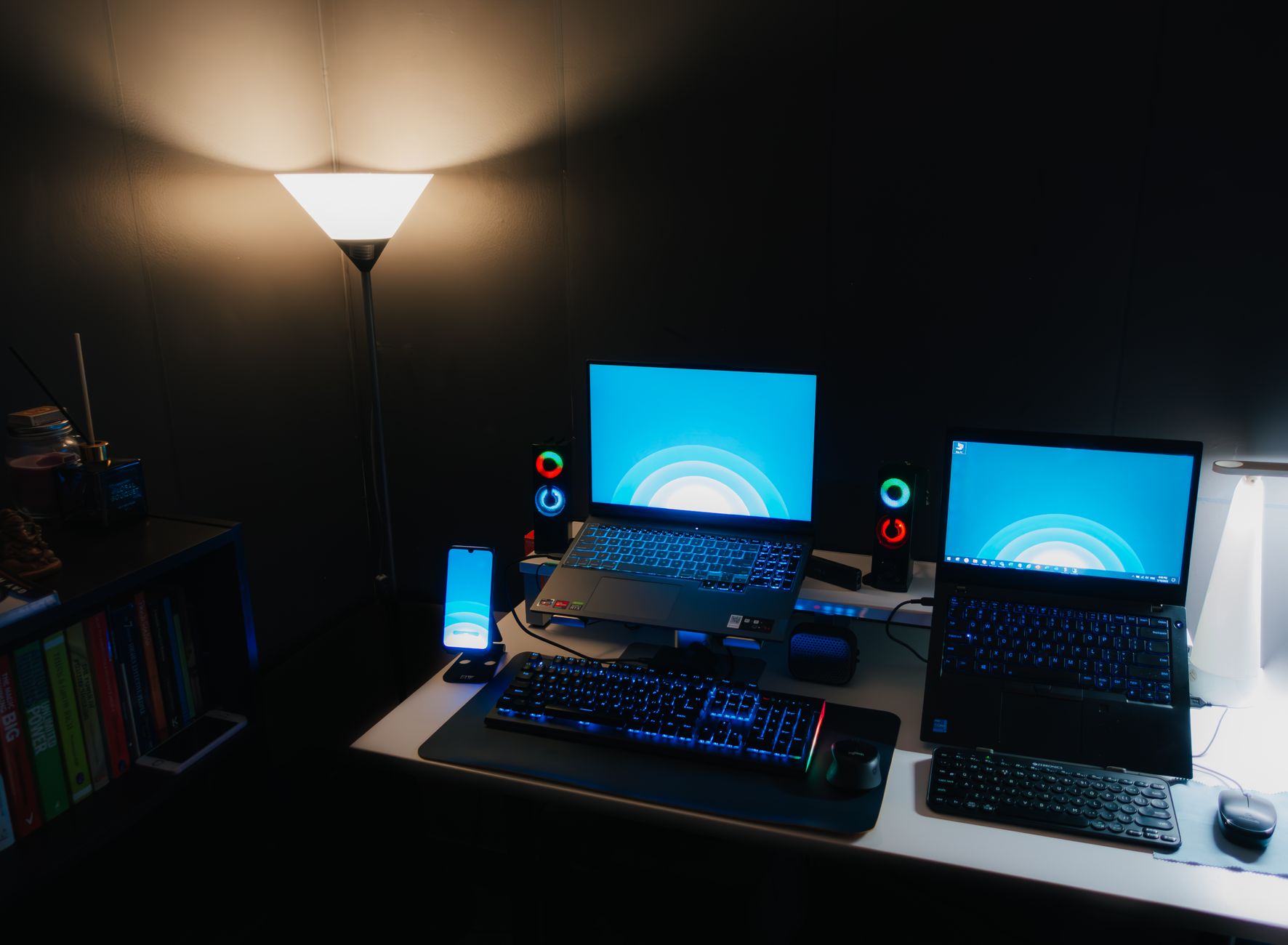
How to Choose a Gaming Laptop: Your Ultimate Buying Guide
how to choose a gaming laptop

How to Choose a Gaming Laptop: Your Ultimate Buying Guide

Unlock peak performance and portability by understanding the crucial components and considerations for your next gaming laptop.

Find Your Perfect Rig

Key Takeaways

  • ✓ GPU is the most critical component for gaming performance.
  • ✓ CPU performance impacts frame rates and multitasking efficiency.
  • ✓ RAM and storage are essential for smooth gameplay and quick loading.
  • ✓ Screen quality (refresh rate, resolution) significantly affects the gaming experience.

How It Works

1
Define Your Gaming Needs

Determine which games you'll play, your preferred settings, and if portability is a primary concern. This will guide your budget and specification choices.

2
Prioritize Key Components

Focus on the GPU, CPU, RAM, and storage as these have the biggest impact on gaming performance. Balance these based on your budget and game requirements.

3
Evaluate Display and Peripherals

Consider screen size, resolution, and refresh rate for an immersive experience. Also, assess keyboard quality, trackpad, and port selection for usability.

4
Check Cooling and Build Quality

Effective cooling is crucial for sustained performance and longevity. Look for robust build materials and a comfortable design for long gaming sessions.

Understanding Core Components: GPU, CPU, and RAM for Gaming Performance
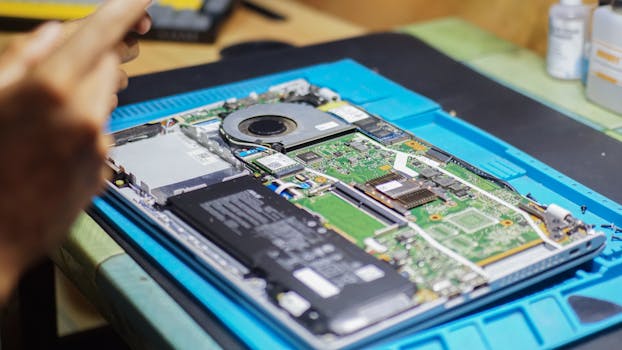
Close-up of laptop being repaired with visible components and tools. Photo: Found GHI / Pexels
When you embark on the journey of understanding how to choose a gaming laptop, the first and most critical step is to dissect its core components. These are the heart and soul of any gaming machine, dictating everything from frame rates to loading times. At the absolute top of this hierarchy sits the Graphics Processing Unit (GPU), often referred to as the graphics card. For gaming, the GPU is king. It's responsible for rendering all the visuals you see on your screen, from intricate character models to sprawling open-world environments. A more powerful GPU means higher frame rates, smoother gameplay, and the ability to run games at higher resolutions and graphics settings. Leading manufacturers like NVIDIA (with their GeForce RTX series) and AMD (with their Radeon RX series) offer a wide range of mobile GPUs, each with varying levels of performance. When evaluating GPUs, pay attention to the model number (e.g., RTX 4070 vs. RTX 4080), as higher numbers generally indicate better performance within the same generation. Also, consider the TGP (Total Graphics Power) which indicates how much power the GPU can draw, directly impacting its performance potential. A high-TGP GPU in a well-cooled chassis will outperform a lower-TGP version of the same GPU. Next in line is the Central Processing Unit (CPU). While the GPU handles the graphical heavy lifting, the CPU is the brain of the operation, managing game logic, AI, physics, and background processes. A powerful CPU ensures that your GPU isn't bottlenecked and that your system can handle multitasking without a hitch. Intel's Core i7 and i9 series and AMD's Ryzen 7 and Ryzen 9 series are the common choices for gaming laptops. For most modern games, an Intel Core i7 or AMD Ryzen 7 (or their equivalent generations) will provide ample performance. However, if you plan on streaming, video editing, or running CPU-intensive simulation games, opting for an i9 or Ryzen 9 can offer a noticeable advantage. The number of cores and threads, along with clock speed, are key specifications to look at. A good balance between a strong GPU and a capable CPU is crucial for overall system harmony. Finally, we have Random Access Memory (RAM). RAM acts as a short-term memory for your computer, storing data that the CPU needs to access quickly. For gaming, 16GB of RAM is generally considered the sweet spot for modern titles. While some games might run on 8GB, you'll likely experience stutters and longer loading times, especially with other applications running in the background. Upgrading to 32GB of RAM can provide a slight boost in performance for very demanding titles or if you frequently multitask while gaming, but for most users, 16GB is sufficient and offers excellent value. Beyond the capacity, also consider the RAM's speed (measured in MHz, e.g., DDR5-4800) as faster RAM can contribute to marginal performance gains. Ensure the laptop allows for future RAM upgrades if you start with a lower capacity. Understanding these fundamental components is your first step in finding the perfect gaming machine that meets your needs and budget.

Storage, Display, and Cooling: Enhancing Your Gaming Experience

Beyond the core processing units, several other factors play a pivotal role in defining your gaming laptop experience. Storage is one such critical element. Gone are the days when traditional Hard Disk Drives (HDDs) were acceptable for gaming. Today, Solid State Drives (SSDs) are virtually mandatory for any serious gaming rig. SSDs offer significantly faster boot times, application loading, and most importantly, game loading times. Within SSDs, you'll typically find NVMe PCIe SSDs, which are the fastest, offering speeds many times greater than older SATA SSDs. For a gaming laptop, aim for at least a 512GB NVMe SSD, but 1TB is highly recommended to comfortably accommodate several large game titles, the operating system, and other applications. Some higher-end laptops might even offer dual-drive configurations (e.g., a smaller NVMe for the OS and a larger one for games, or even an NVMe paired with a larger SATA SSD for bulk storage of media files). Always check if the laptop has an additional slot for future storage expansion, as game sizes continue to grow. Your gaming display is your window into virtual worlds, and its quality profoundly impacts immersion and responsiveness. Key display specifications include size, resolution, and refresh rate. Most gaming laptops come with 15.6-inch or 17.3-inch screens, with a few larger 18-inch options available. Full HD (1920x1080) resolution remains the standard, offering a good balance between visual fidelity and performance, especially for competitive gaming. QHD (2560x1440) is gaining popularity, providing sharper images without being as demanding as 4K, which is generally overkill for a laptop screen and too taxing on mobile GPUs unless you prioritize stunning visuals over high frame rates. The refresh rate (measured in Hz) is crucial for smooth gameplay; 120Hz is a good minimum, but 144Hz, 240Hz, or even 360Hz displays offer increasingly fluid motion, a significant advantage in fast-paced games. Look for panels with low response times (typically 3ms or less) and consider G-Sync or FreeSync compatibility for tear-free gaming, especially if you experience fluctuating frame rates. Finally, effective cooling is paramount for a gaming laptop. High-performance components generate a lot of heat, and if not properly dissipated, this can lead to thermal throttling – where the CPU and GPU automatically reduce their clock speeds to prevent overheating, resulting in a significant drop in performance. Look for laptops with robust cooling systems, often featuring multiple fans, larger heat pipes, and strategically placed vents. Reviews often highlight a laptop's thermal performance, so it's wise to consult them. A well-designed cooling system not only maintains peak performance during long gaming sessions but also contributes to the longevity of your hardware. While you might not see the cooling system, its presence (or absence) will be felt in your gaming experience. Don't underestimate its importance when considering your options.

Ergonomics, Connectivity, and Battery Life: Practical Considerations for Gamers

Beyond raw power and stunning visuals, the practical aspects of a gaming laptop significantly contribute to its overall value and user experience. Ergonomics play a huge role, particularly for extended gaming sessions. The keyboard is your primary interface, so its quality is paramount. Look for a keyboard with good key travel, tactile feedback, anti-ghosting, and N-key rollover to ensure every keystroke is registered accurately. RGB backlighting is a common feature, not just for aesthetics but also for visibility in low-light conditions. Some premium laptops offer per-key RGB customization, allowing you to highlight specific keys for different games. The trackpad, while less critical for serious gaming (most gamers use an external mouse), should still be responsive and accurate for general use. Consider the overall build quality and materials; premium aluminum or magnesium alloy chassis offer better durability and a more premium feel compared to plastic. The weight and thickness are also important, especially if portability is a key factor for you. A sleek, lightweight design might sacrifice some cooling efficiency or port selection, so it's a trade-off to consider. Connectivity is another vital aspect. A good selection of ports ensures you can connect all your essential peripherals, external displays, and storage devices without needing a dongle farm. Look for multiple USB-A ports (at least two, preferably 3.0 or higher), USB-C (especially with Thunderbolt 4 for high-speed data transfer and display output), an HDMI or DisplayPort for external monitors, an Ethernet port for stable wired internet (crucial for competitive online gaming), and a 3.5mm audio jack. Some laptops might also include an SD card reader, which is handy for content creators. Wireless connectivity is equally important. Wi-Fi 6 or Wi-Fi 6E provides faster and more stable wireless internet, while Bluetooth 5.0 or higher ensures reliable connections for wireless headsets and controllers. Future-proofing your connectivity options will save you headaches down the line, allowing you to connect various devices. Battery life is often the Achilles' heel of gaming laptops. Due to their powerful components, gaming laptops are notoriously power-hungry. While you might get a few hours of general productivity or web browsing on battery, expect significantly shorter runtimes (often 1-2 hours) when gaming. It's almost always recommended to game while plugged into an outlet to ensure maximum performance and avoid battery drain. However, if you need to do light work or watch movies on the go, a laptop with a larger battery capacity (measured in Watt-hours, Wh) will provide more unplugged time. Manufacturers have made strides in battery technology and power efficiency, but managing expectations regarding battery life during intense gaming is crucial. Always check reviews for real-world battery performance figures, as advertised numbers can often be optimistic. Understanding these practical considerations will help you choose a gaming laptop that not only performs well but also fits seamlessly into your lifestyle.

Common Mistakes to Avoid When Choosing a Gaming Laptop

Navigating the vast landscape of gaming laptops can be daunting, and it's easy to fall prey to common pitfalls. Being aware of these mistakes can save you both money and frustration in the long run. **1. Over-prioritizing CPU over GPU:** This is perhaps the most frequent error. While a good CPU is important, for pure gaming performance, the GPU is overwhelmingly more critical. Many first-time buyers mistakenly believe a top-tier CPU will solve all their performance needs, only to pair it with a mid-range GPU and find their frame rates lacking. Always allocate the majority of your budget to the best GPU you can afford, then select a CPU that won't bottleneck it. **2. Neglecting Cooling Performance:** A powerful laptop that throttles due to poor cooling is effectively a less powerful laptop. Don't just look at the specs; research reviews that specifically address thermal performance under sustained load. A laptop might boast a high-end GPU, but if its cooling system can't keep up, it will underperform. Overheating also shortens component lifespan. **3. Skimping on Storage (SSD):** While tempting to save a few dollars, opting for a small or slow storage solution will severely impact your overall user experience. HDDs are obsolete for gaming. Always go for an NVMe SSD, and aim for at least 1TB if your budget allows. Games are massive now, and constant uninstalling/reinstalling is a pain. **4. Ignoring Display Specifications:** A powerful GPU is wasted on a low-refresh-rate display. A 60Hz screen will limit your visual experience regardless of how many frames your GPU is pushing. Prioritize at least 120Hz for competitive gaming, and consider higher refresh rates for even smoother visuals. Also, check for panel quality regarding color accuracy and brightness. **5. Overlooking Portability vs. Power:** If you plan to travel frequently with your laptop, a heavy, bulky 17-inch beast might not be the best choice, even if it offers top-tier performance. Conversely, ultra-thin gaming laptops often compromise on cooling or raw power to achieve their slim profile. Be realistic about your usage patterns and balance portability with the performance you need. **6. Forgetting About Upgradeability:** While gaming laptops are less upgradeable than desktops, some components like RAM and storage can often be replaced or expanded. Check if the laptop has accessible RAM slots or an extra M.2 slot for an additional SSD. This can extend the life and utility of your investment. By avoiding these common mistakes, you'll be well on your way to making an informed decision and selecting a gaming laptop that truly meets your expectations and gaming aspirations.

Comparison

FeatureCasual Gamer (<$1200)Enthusiast Gamer ($1200-$2000)Hardcore Gamer (>$2000)
GPURTX 3050/4050 or RX 6600M/7600SRTX 4060/4070 or RX 7700S/7800SRTX 4080/4090
CPURyzen 5/Intel i5 (current gen)Ryzen 7/Intel i7 (current gen)Ryzen 9/Intel i9 (current gen)
RAM8GB-16GB DDR4/DDR516GB DDR532GB DDR5
Storage512GB NVMe SSD1TB NVMe SSD1TB-2TB+ NVMe SSD (dual drives)
Display15.6" FHD 120Hz15.6"/17.3" FHD 144Hz-240Hz or QHD 165Hz17.3"/18" QHD 240Hz+ or Mini LED
CoolingStandardGoodExcellent (vapor chamber)
Build QualityPlasticPlastic/Aluminum mixPremium Aluminum/Magnesium
Battery Life2-4 hours light use3-5 hours light use3-6 hours light use

What Readers Say

"This guide was incredibly helpful in breaking down the jargon. I finally understood the difference between GPU and CPU importance and made an informed decision on my first gaming laptop. No buyer's remorse here!"

Alex R. · Austin, TX

"As a casual gamer, I was overwhelmed by choices. This article helped me prioritize what truly mattered for my budget, ensuring I didn't overspend on features I wouldn't use. My new laptop runs Baldur's Gate 3 beautifully!"

Sarah J. · Miami, FL

"The section on cooling systems was a game-changer. I almost bought a laptop with great specs but poor thermals. Thanks to this guide, I avoided a major mistake and now enjoy stable performance even during long sessions."

Mark T. · Seattle, WA

"While very thorough, I wish there was a bit more on specific brand recommendations within budget tiers. However, the component breakdown was top-notch and gave me the confidence to evaluate specs myself."

Emily C. · Denver, CO

"I needed a laptop for both gaming and video editing. This article clarified how to balance CPU and GPU for my dual needs, helping me find a machine that excels at both without breaking the bank. Fantastic resource!"

David L. · Boston, MA

Frequently Asked Questions

What is the single most important component when choosing a gaming laptop?

The Graphics Processing Unit (GPU) is unequivocally the most important component for gaming performance. It directly dictates frame rates, graphical fidelity, and the resolution at which you can play games. While other components are crucial, investing in the best GPU your budget allows will yield the most significant impact on your gaming experience.

Will a gaming laptop overheat easily?

Gaming laptops, by their nature, generate significant heat. However, reputable manufacturers design them with advanced cooling systems to manage this. While some budget models might struggle, well-designed gaming laptops can maintain stable temperatures during extended gaming sessions, preventing thermal throttling and ensuring longevity. Always check reviews for thermal performance.

How much RAM do I need for a gaming laptop?

For most modern games, 16GB of DDR4 or DDR5 RAM is the sweet spot, providing smooth performance and allowing for multitasking. While some games might run on 8GB, it's not recommended for a primary gaming machine. 32GB is an excellent option for future-proofing or if you plan on heavy multitasking, streaming, or content creation alongside gaming.

Are gaming laptops expensive?

Gaming laptops can range widely in price, from under $1000 for entry-level models to over $3000 for high-end machines. The cost is directly tied to the power of the components (GPU, CPU), screen quality, build materials, and cooling system. It's possible to find a capable gaming laptop for most budgets, but a realistic expectation is $1200-$2000 for a solid enthusiast-level experience.

Should I choose a desktop PC or a gaming laptop?

The choice depends on your priorities. A desktop PC generally offers more raw performance for the same price, easier upgradeability, and superior cooling. A gaming laptop, however, provides unparalleled portability, allowing you to game anywhere. If mobility is crucial, a laptop is the way to go; otherwise, a desktop often provides better long-term value and power.

Who should buy a gaming laptop?

A gaming laptop is ideal for gamers who need portability, whether for frequent travel, moving between different locations, or simply wanting to game in various rooms of their home. It's also great for students or professionals who need a powerful machine for work/study during the day and gaming at night, without owning two separate computers.

Is battery life a concern with gaming laptops?

Yes, battery life is generally a significant concern with gaming laptops, especially during actual gaming. Due to their powerful components, gaming laptops consume a lot of power, resulting in short battery life (often 1-2 hours) when gaming. For optimal performance, it's always recommended to game while plugged into an AC outlet. Battery life is typically better for light tasks like web browsing.

What's the future of gaming laptops?

The future of gaming laptops points towards increased power efficiency, thinner and lighter designs, and even more immersive displays. We can expect continued advancements in mobile GPU and CPU performance, integration of AI-powered features for upscaling and performance optimization, and potentially innovative cooling solutions. Cloud gaming integration and more flexible form factors are also likely trends.

Ready to elevate your portable gaming experience? Use this comprehensive guide on how to choose a gaming laptop to confidently select the perfect machine that matches your needs and budget. Dive into the world of high-performance gaming today!

Topics: how to choose a gaming laptopbest gaming laptop specsgaming laptop budgetportable gaming computergaming laptop features
Leo List
Brampton weed
Adultwork