✓ Screen refresh rate (120Hz+) is crucial for smooth gameplay.
✓ 8GB VRAM is a good baseline for modern games; 12GB+ is ideal.
✓ SSD storage is non-negotiable for fast load times.
How It Works
1
Define Your Budget
Determine how much you're willing to spend. This will significantly narrow down your options and help set realistic expectations for performance and features.
2
Identify Core Gaming Needs
Consider what types of games you play (e.g., esports, AAA titles, indie games) and at what settings (e.g., 1080p, 1440p). This dictates the necessary GPU and CPU power.
3
Prioritize Key Components
Focus on the GPU, CPU, RAM, and storage. Understand the current generation offerings and how they impact gaming performance and future-proofing.
4
Evaluate Display and Portability
Choose a screen size and refresh rate that suits your preferences. Decide if portability, battery life, and build quality are critical factors for your usage.
Understanding Core Components: GPU, CPU, and RAM for Gaming
Photo: Andrey Matveev / Pexels
When you're trying to figure out how to choose a gaming laptop 2024, the triumvirate of GPU, CPU, and RAM forms the bedrock of your decision. These components dictate everything from frame rates to loading times, and understanding their roles is paramount. Let's break them down.
First and foremost, the Graphics Processing Unit (GPU) is the undisputed king for gaming laptops. It's responsible for rendering all the visuals you see on screen, from intricate character models to expansive open-world environments. For 2024, you'll primarily be looking at NVIDIA's GeForce RTX 40-series (e.g., RTX 4060, 4070, 4080, 4090) or AMD's Radeon RX 7000-series (e.g., RX 7600M XT, 7800M XT). Generally, the higher the number, the more powerful the GPU. An RTX 4060, for instance, is a solid entry point for 1080p gaming at high settings, while an RTX 4080 or 4090 will push 1440p or even 4K gaming with ease, often supporting ray tracing and DLSS/FSR technologies for enhanced visuals and performance. Always check the TGP (Total Graphics Power) or Max-Q/Max-P designation, as a GPU's performance can vary significantly between laptops depending on how much power it's allowed to draw. A high-TGP RTX 4060 might outperform a low-TGP RTX 4070 in some scenarios. This detail is often overlooked but is absolutely critical for maximizing your gaming experience.
Next up is the Central Processing Unit (CPU). While the GPU handles graphics, the CPU manages game logic, AI, physics, and communicates with all other components. For gaming, you'll want a modern multi-core processor. Intel's 13th or 14th Gen Core i7/i9 (e.g., i7-13700HX, i9-14900HX) or AMD's Ryzen 7/9 (e.g., Ryzen 7 7745HX, Ryzen 9 7945HX) are excellent choices. While a powerful CPU is important, it's generally less critical than the GPU for raw frame rates in most games, especially at higher resolutions. A good rule of thumb is to pair a strong GPU with at least a mid-range to high-end CPU to avoid bottlenecks. Don't overspend on an i9 if it means compromising on a better GPU, unless you're also doing heavy CPU-intensive tasks like video editing or streaming.
Finally, Random Access Memory (RAM) acts as your system's short-term memory, allowing quick access to data the CPU and GPU need. For gaming in 2024, 16GB of DDR5 RAM is the sweet spot. While some budget options might come with 8GB, it's increasingly becoming a bottleneck for modern AAA titles, especially if you run other applications in the background. 32GB is excellent for future-proofing and for users who multitask heavily or engage in content creation. Ensure the RAM is at least 4800MHz or higher for optimal performance. Pay attention to whether the RAM is single-channel or dual-channel; dual-channel configurations (e.g., 2x8GB instead of 1x16GB) offer significantly better performance. When considering upgrading your gaming setup, RAM is often one of the easiest and most impactful components to enhance if your laptop allows it.
Display, Storage, and Cooling: The Unsung Heroes of Performance
Photo: Foysal Ahmed / Pexels
Beyond the core components, several other factors play a pivotal role in your overall gaming experience and how to choose a gaming laptop 2024 effectively. The display, storage, and cooling system are often overlooked but can make or break your satisfaction with a new machine.
Let's start with the display, your window into the game world. For gaming laptops, the refresh rate is arguably more important than resolution for competitive play. A higher refresh rate (measured in Hertz, Hz) means smoother motion and quicker response times. Aim for at least 120Hz, with 144Hz, 165Hz, or even 240Hz being ideal for fast-paced games. Paired with a low response time (e.g., 3ms or 5ms), this ensures you see every frame clearly. Resolution is also a consideration; 1080p (Full HD) is still the standard for excellent performance on most gaming GPUs, offering high frame rates. 1440p (QHD) is gaining popularity, providing a sharper image without the extreme GPU demands of 4K. 4K displays are beautiful but typically require top-tier GPUs (RTX 4080/4090) to run modern games at playable frame rates. Panel type matters too: IPS panels offer great color accuracy and viewing angles, which are generally preferred for gaming. OLED panels are also emerging, offering incredible contrast and vibrant colors, but often come at a premium.
Storage is another critical element. In 2024, a Solid State Drive (SSD) is absolutely essential for a gaming laptop. Hard Disk Drives (HDDs) are too slow for modern games and operating systems. Look for NVMe PCIe SSDs, which are significantly faster than older SATA SSDs. A minimum of 512GB is recommended, but 1TB or more is highly advisable given the ever-increasing size of game installations. Many laptops offer a secondary slot, allowing you to add another SSD later if needed. Faster load times mean less waiting and more playing, which directly enhances your gaming sessions. Don't underestimate the impact of a speedy SSD on overall system responsiveness.
Finally, the cooling system is the unsung hero of any gaming laptop. Powerful components generate a lot of heat, and effective cooling is crucial to prevent thermal throttling, where the CPU and GPU reduce their performance to avoid overheating. Look for laptops with robust cooling solutions, often featuring multiple fans, heat pipes, and large vents. Manufacturers like ASUS (ROG Intelligent Cooling), MSI (Cooler Boost), and Lenovo (ColdFront) often highlight their cooling technologies. Reviews that specifically test thermal performance under load are invaluable. A laptop that runs too hot will not only perform worse but can also shorten the lifespan of its components. Good cooling also contributes to a more comfortable user experience, preventing the keyboard and palm rest from becoming uncomfortably warm during extended gaming sessions. Without adequate cooling, even the most powerful specs can be rendered mediocre.
Ergonomics, Connectivity, and Battery Life: Beyond Raw Power
Photo: Castorly Stock / Pexels
While raw power is often the primary focus when considering how to choose a gaming laptop 2024, the overall user experience is heavily influenced by factors like ergonomics, connectivity, and battery life. These aspects determine how comfortable, versatile, and practical your gaming machine will be in daily use.
Ergonomics encompass the keyboard, trackpad, and overall build quality. A good gaming keyboard should offer comfortable key travel, tactile feedback, and anti-ghosting technology to register multiple simultaneous key presses accurately. RGB backlighting is a common feature, allowing for customization and improved visibility in low-light conditions. Some laptops even feature mechanical or optical switches for a premium typing and gaming feel. The trackpad, while less critical for gaming (as most gamers use an external mouse), should still be responsive and accurate for general use. Build quality is also important; a sturdy chassis made of aluminum or high-quality plastics will withstand daily wear and tear better than flimsy alternatives. Consider the weight and thickness if portability is a concern; thinner and lighter models often come with a premium price tag and potentially compromised cooling.
Connectivity is another crucial consideration. Modern gaming laptops should offer a comprehensive array of ports. Look for multiple USB-A ports (for peripherals like mice, keyboards, and external drives), at least one USB-C port (preferably Thunderbolt 4 for Intel systems or USB4 for AMD, offering high-speed data transfer, video output, and power delivery), an HDMI or DisplayPort for connecting to external monitors, and an Ethernet port for a stable, low-latency internet connection. Wi-Fi 6 or Wi-Fi 6E is standard for fast wireless connectivity, and Bluetooth 5.0 or higher is essential for wireless headsets and other accessories. The presence of an SD card reader might also be a bonus for content creators. Having a variety of ports ensures you won't need a dongle for every connection, enhancing convenience and reducing clutter.
Battery life is typically the Achilles' heel of gaming laptops. Due to their powerful components, they consume a lot of power, especially when gaming. Expect significantly shorter battery life during gaming sessions (often 1-2 hours) compared to general productivity tasks (3-6 hours, sometimes more). If you plan to game on the go frequently without access to a power outlet, this is a major consideration. However, most gaming laptops are designed to be played while plugged in, as this allows the GPU and CPU to draw maximum power and deliver peak performance. Unplugged, performance often throttles to conserve battery. Therefore, while decent battery life for general use is a plus, don't expect to game for hours unplugged. Always check reviews for real-world battery life benchmarks. Understanding these aspects helps you make a well-rounded decision when looking for the perfect laptop for your needs, balancing raw power with practical usability.
Budgeting and Future-Proofing: Smart Choices for 2024
Photo: Foysal Ahmed / Pexels
Navigating the financial landscape and ensuring your investment remains relevant are key aspects of how to choose a gaming laptop 2024. Gaming laptops represent a significant investment, and making smart choices upfront can save you money and headaches down the line. Let's delve into budgeting strategies and the concept of future-proofing.
Establishing a realistic budget is the first and most critical step. Gaming laptops span a wide price range, from entry-level models around $800-$1200 to high-end powerhouses exceeding $3000-$4000. Your budget will largely dictate the level of performance you can expect. For casual gamers or those on a tighter budget, an RTX 4050 or RTX 4060 GPU paired with an Intel Core i5/i7 or AMD Ryzen 5/7, 16GB RAM, and a 512GB SSD offers a solid 1080p gaming experience. Mid-range options ($1500-$2500) might feature an RTX 4070 or RTX 4080, better CPUs, and potentially 1440p displays. High-end machines ($2500+) will pack RTX 4080/4090 GPUs, top-tier CPUs, ample RAM, and premium displays. Remember to account for accessories like a gaming mouse, headset, and potentially an external monitor, which can add to the total cost.
Future-proofing a gaming laptop is challenging due to rapid technological advancements, but it's not impossible to make choices that extend its competitive lifespan. The GPU is the most important component here; investing in a higher-tier GPU (e.g., an RTX 4070 or 4080 instead of a 4060 if your budget allows) will ensure your laptop can handle new games at high settings for longer. While CPUs are important, a strong mid-range CPU from the current generation will likely remain sufficient for gaming for several years. RAM is often user-upgradable, so starting with 16GB and upgrading to 32GB later is a viable strategy if the laptop has accessible RAM slots. Similarly, many gaming laptops allow for additional SSD storage, so starting with 1TB and adding more later is a common approach. Opting for a laptop with a higher refresh rate display (144Hz+) also contributes to future-proofing, as it provides a smoother experience that remains relevant even as game graphics improve.
Consider the brand and warranty as well. Reputable brands like ASUS ROG, MSI, Razer, Alienware, and Lenovo Legion often offer better build quality, cooling solutions, and customer support. A good warranty can provide peace of mind for your significant investment. While it's tempting to chase the absolute bleeding edge, a balanced approach that prioritizes a strong GPU, sufficient RAM, and fast storage within your budget, combined with a good display and cooling, will provide the best long-term value. Don't forget to check for deals and sales, especially around major holidays, as these can significantly impact the value proposition of a gaming laptop.
Comparison
Feature
Budget Gamer ($800-$1200)
Mid-Range Enthusiast ($1500-$2500)
High-End Power User ($2500+)
GPU
RTX 4050/4060 or RX 7600M XT
RTX 4070/4080 or RX 7800M XT
RTX 4080/4090
CPU
Intel Core i5/i7 (13th/14th Gen) or Ryzen 5/7 (7000 Series)
Intel Core i7/i9 (13th/14th Gen) or Ryzen 7/9 (7000 Series)
Intel Core i9 (13th/14th Gen) or Ryzen 9 (7000 Series)
RAM
16GB DDR5 (upgradeable)
16GB-32GB DDR5
32GB+ DDR5
Storage
512GB NVMe SSD
1TB NVMe SSD
1TB+ NVMe SSD (often 2TB)
Display
1080p @ 120Hz-144Hz
1080p/1440p @ 165Hz-240Hz
1440p/4K @ 165Hz-240Hz (OLED option)
Cooling
Standard
Advanced (vapor chamber/liquid metal)
Premium (vapor chamber/liquid metal)
Build Quality
Good plastic
Metal/plastic blend
Premium metal chassis
Portability
Moderate
Moderate to Slim
Can be bulky, some slim options
Ray Tracing Performance
✗
✓
✓
What Readers Say
★★★★★
"This guide on how to choose a gaming laptop 2024 was incredibly helpful! I was so confused by all the specs, but it broke down what really matters for my budget and the games I play. Ended up with an RTX 4070 model and couldn't be happier."
Alex P. · Austin, TX
★★★★★
"As a first-time gaming laptop buyer, this article was a godsend. The advice on prioritizing the GPU and understanding refresh rates made my decision much clearer. Highly recommend for anyone feeling overwhelmed by options."
Sarah L. · Seattle, WA
★★★★★
"Following this guide, I managed to snag a fantastic deal on a laptop with an RTX 4060 and a 144Hz screen. My frame rates in Cyberpunk 2077 are consistently above 60 FPS, which is exactly what I was hoping for. Great advice!"
Mike R. · Orlando, FL
★★★★★
"The article was very thorough, especially on the cooling aspect, which I hadn't considered much. While I appreciate the detail, some of the technical jargon was a bit much for a beginner, but overall, it pointed me in the right direction."
Jessica T. · Denver, CO
★★★★★
"I needed a laptop for both gaming and video editing. The section on CPU vs. GPU importance and RAM recommendations helped me find a balanced machine that excels at both, without overspending on an unnecessary i9. Excellent resource!"
David K. · Chicago, IL
Frequently Asked Questions
What is the most important component when choosing a gaming laptop?
The Graphics Processing Unit (GPU) is hands down the most critical component for gaming performance. It directly impacts frame rates and visual quality. While the CPU, RAM, and storage are important, a powerful GPU should be your top priority, especially for modern AAA titles.
Is 8GB of RAM enough for a gaming laptop in 2024?
While 8GB of RAM might be sufficient for some older or less demanding games, for modern AAA titles and multitasking, 16GB of DDR5 RAM is the recommended minimum in 2024. 32GB is ideal for future-proofing and heavy usage.
How much should I spend on a gaming laptop?
The ideal budget varies greatly, but a good starting point for a capable 1080p gaming laptop in 2024 is around $1000-$1500. Mid-range options offering 1440p performance typically fall between $1500-$2500, while high-end machines can exceed $2500.
Do I really need a high refresh rate screen?
Yes, for gaming, a high refresh rate screen (120Hz, 144Hz, 165Hz, or higher) is highly recommended. It provides a much smoother and more fluid visual experience, which is particularly beneficial in fast-paced games and can even give you a competitive edge.
What's the difference between an RTX 4060 and an RTX 4070?
The RTX 4070 is generally a more powerful GPU than the RTX 4060, offering better performance (higher frame rates) and often more VRAM. It's capable of handling games at higher settings or resolutions (e.g., 1440p) more comfortably than the 4060, which is typically optimized for 1080p gaming.
Who should buy a gaming laptop instead of a desktop PC?
A gaming laptop is ideal for gamers who need portability, frequently travel, or have limited space. It offers a complete, self-contained gaming system that can be moved easily, unlike a desktop PC which offers more upgradeability and raw power for the same price.
Will a gaming laptop overheat easily?
Gaming laptops are designed to run hot due to powerful components in a compact chassis. However, reputable brands invest heavily in advanced cooling systems (fans, heat pipes, vapor chambers) to manage heat and prevent thermal throttling. Always check reviews for thermal performance under load.
What are the future trends for gaming laptops in the next few years?
Expect continued advancements in GPU and CPU efficiency, leading to more powerful performance in thinner and lighter form factors. We'll likely see more widespread adoption of OLED displays, faster RAM (DDR6), and potentially more integration of AI-specific hardware for gaming enhancements.
Ready to elevate your gaming experience? Use this comprehensive guide on how to choose a gaming laptop 2024 to make an informed decision and invest in the perfect machine that meets your needs and budget. Your ultimate gaming adventure awaits!
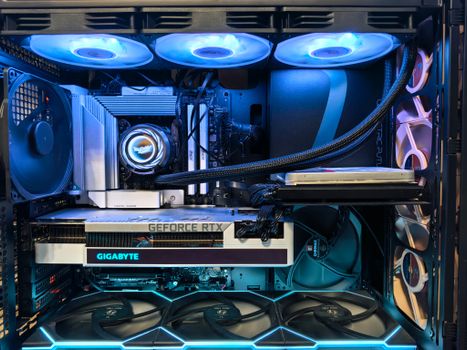 Photo: Andrey Matveev / Pexels
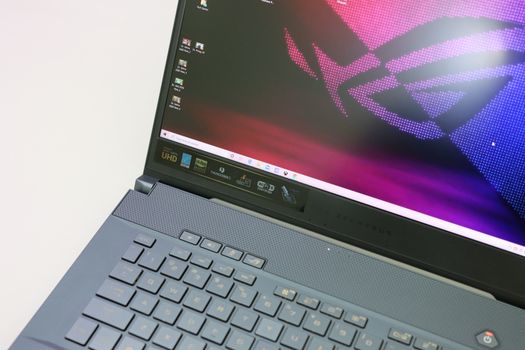 Photo: Foysal Ahmed / Pexels
 Photo: Castorly Stock / Pexels
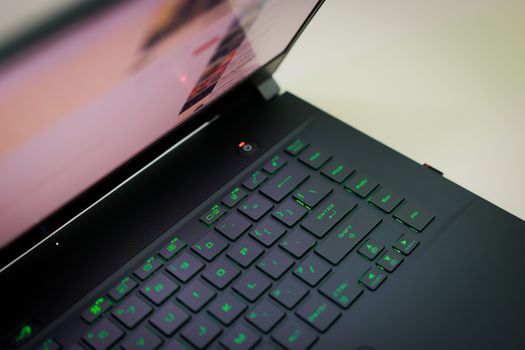 Photo: Foysal Ahmed / Pexels