
Why You Need to Buy External SSD for Gaming PC Now!
Unlock unparalleled speed, portability, and performance for your gaming PC with the right external SSD.
Upgrade Your Gaming!Key Takeaways
- ✓ External SSDs offer significantly faster game load times than traditional HDDs.
- ✓ They provide convenient portability, allowing you to carry your game library anywhere.
- ✓ USB 3.2 Gen 2x2 and Thunderbolt 3/4 offer the fastest external SSD speeds.
- ✓ Cost per gigabyte for external SSDs has become increasingly affordable for gamers.
How It Works
Simply plug the external SSD into an available USB or Thunderbolt port on your gaming PC. Most modern external SSDs are plug-and-play, requiring no special drivers.
For new drives, you might need to format it to a compatible file system like NTFS for Windows. This prepares the drive to store your games and other data efficiently.
When installing new games, select your external SSD as the installation location. For existing games, many game launchers (Steam, Epic Games) allow you to move installed games to a new drive easily.
Launch your games directly from the external SSD and experience dramatically reduced loading screens and smoother in-game asset streaming. Enjoy a superior gaming experience on the go or at home.
The Unbeatable Advantage: Why Choose an External SSD for Gaming?
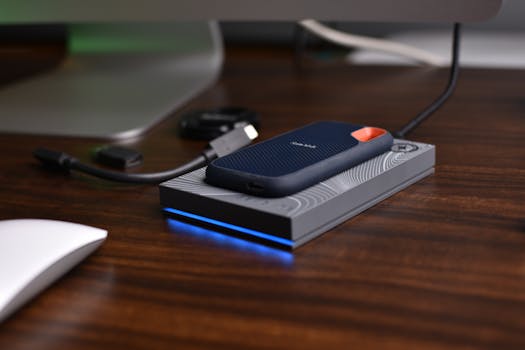 Photo: Avinash Kumar / Pexels
Navigating the Market: What to Look for When You Buy External SSD for Gaming PC
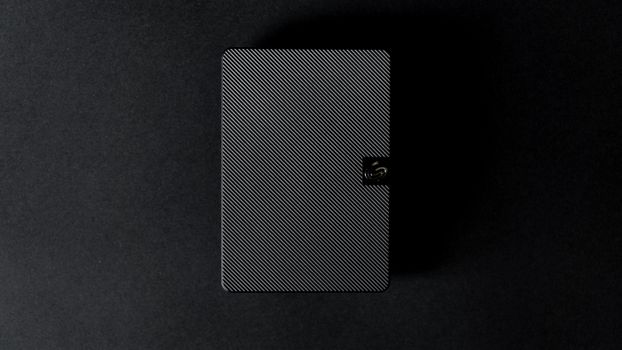 Photo: Uwukuri Emery / Pexels
Optimizing Performance: Setting Up and Maintaining Your Gaming External SSD
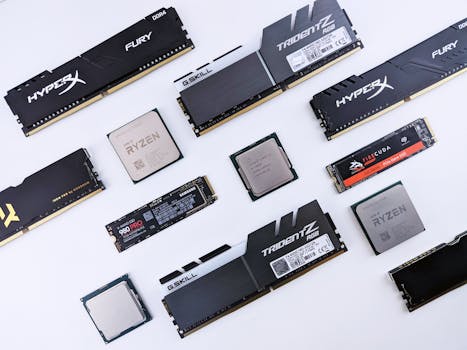 Photo: Andrey Matveev / Pexels
Common Pitfalls to Avoid When Buying and Using an External SSD for Gaming
Photo: Avinash Kumar / Pexels
- Ignoring Port Compatibility: This is perhaps the most frequent mistake. Purchasing a high-speed USB 3.2 Gen 2x2 SSD (20 Gbps) and connecting it to a USB 3.0 port (5 Gbps) will severely bottleneck its performance. Always verify the fastest USB or Thunderbolt ports available on your PC and match the external SSD's interface accordingly. Don't assume all USB-C ports are created equal; they can support various standards.
- Underestimating Capacity Needs: Gaming libraries grow fast. Buying a 500GB drive to save a few dollars might seem appealing, but you'll quickly run out of space with modern AAA titles. Aim for at least 1-2TB for a modest library, and 4TB or more if you're a prolific gamer. Constantly uninstalling and reinstalling games negates the convenience benefit of an external SSD.
- Using Cheap or Long Cables: The cable connecting your external SSD to your PC is critical. A cheap, low-quality, or excessively long cable can introduce signal interference and slow down data transfer speeds, effectively negating the benefits of a fast SSD and interface. Always use the manufacturer-provided cable or a high-quality, certified cable of appropriate length (shorter is generally better).
- Forgetting to Safely Eject: While SSDs are more robust than HDDs, abruptly unplugging an external drive, especially during a write operation, can corrupt data or even damage the drive's file system. Always use the 'Safely Remove Hardware and Eject Media' option in Windows before disconnecting your drive.
- Overlooking Firmware Updates: Like any sophisticated piece of hardware, external SSDs benefit from firmware updates. Manufacturers release these to improve performance, fix bugs, and enhance compatibility. Neglecting these updates can leave performance on the table or lead to unexpected issues. Check the manufacturer's website or use their utility software periodically.
- Not Utilizing Manufacturer Software: Many external SSDs come with optional software for monitoring drive health, performing backups, or enabling security features (like encryption). Ignoring these tools means you're not fully leveraging the capabilities of your drive.
- Expecting Identical Internal NVMe Performance: While external SSDs are incredibly fast, even the fastest Thunderbolt or USB 3.2 Gen 2x2 drives might not perfectly match the raw, sustained performance of a high-end internal NVMe SSD directly connected to the PCIe bus, particularly for extremely intensive tasks. However, for 99% of gaming scenarios, the difference is negligible and often imperceptible. Manage your expectations realistically, but rest assured the performance boost over an HDD is massive.
Comparison
| Feature | Best Option (Performance) | Alternative 1 (Value) | Alternative 2 (Portability) |
|---|---|---|---|
| Interface | Thunderbolt 3/4 or USB 3.2 Gen 2x2 | USB 3.2 Gen 2 | USB 3.2 Gen 2 |
| Capacity | 4TB+ | 2TB | 1TB |
| Read Speed (Max) | Up to 2800 MB/s | Up to 1050 MB/s | Up to 1000 MB/s |
| Write Speed (Max) | Up to 2500 MB/s | Up to 1000 MB/s | Up to 900 MB/s |
| Durability | High (Ruggedized options) | Good | Excellent (Compact) |
| Price Point | Premium | Mid-Range | Mid-Range |
What Readers Say
"Decided to buy an external SSD for my gaming PC, and I'm blown away! Load times for Cyberpunk 2077 went from minutes to seconds. It's a game-changer for my productivity and gaming."
Alex P. · Seattle, WA"Needed portable storage for my huge Steam library. This external SSD is fast, compact, and lets me play my games on any PC without re-downloading. Absolutely worth the investment."
Maria G. · Austin, TX"My old internal HDD was slowing me down. After I bought an external SSD for my gaming PC, my boot times improved dramatically and in-game stuttering is a thing of the past. Huge performance boost!"
Ben K. · Chicago, IL"The speed is fantastic, and it's super easy to set up. I wish I had gone for a larger capacity, as my game library filled up quicker than expected, but overall very happy with the performance."
Chloe L. · Denver, CO"As a content creator who also games, the speed and portability of this external SSD are invaluable. I can quickly transfer large video files and still have room for my massive game collection, all from one device."
Daniel S. · Miami, FLFrequently Asked Questions
Is an external SSD really worth it for gaming PC?
Absolutely. An external SSD offers significantly faster game load times, reduced in-game stuttering, and seamless asset streaming compared to traditional hard drives. For gamers who prioritize speed, portability, or need additional high-speed storage without opening their PC case, it's an excellent investment that dramatically improves the gaming experience.
Will an external SSD be as fast as an internal NVMe SSD?
While internal NVMe SSDs connected directly to the PCIe bus generally offer the highest theoretical speeds, high-end external SSDs utilizing Thunderbolt 3/4 or USB 3.2 Gen 2x2 interfaces can come very close in real-world gaming performance. For most games, the difference will be negligible, providing a massive upgrade over HDDs and even SATA SSDs.
How do I install games on an external SSD?
Once connected and formatted (usually NTFS for Windows), you can direct game launchers like Steam, Epic Games Store, or Xbox app to install new games directly onto the external SSD. For existing games, most launchers offer a built-in function to move game files from one drive to another, saving you from re-downloading.
How much capacity should I get when buying an external SSD for gaming?
For a dedicated gaming drive, 1TB is a good starting point, but 2TB or 4TB is highly recommended for most gamers. Modern AAA titles can easily consume 100GB+, so larger capacities ensure you have ample space for your growing game library without constant management or re-downloads.
What's the difference between USB 3.2 Gen 2 and Gen 2x2 for external SSDs?
USB 3.2 Gen 2 offers a maximum theoretical bandwidth of 10 Gigabits per second (Gbps), while USB 3.2 Gen 2x2 doubles that to 20 Gbps. For external SSDs, this translates to sequential read/write speeds of around 1000-1250 MB/s for Gen 2 and up to 2000-2500 MB/s for Gen 2x2. Ensure your PC has a compatible port to utilize the higher speeds.
Who should consider buying an external SSD for their gaming PC?
Anyone looking to drastically reduce game load times, improve in-game responsiveness, or expand their storage without opening their PC case will benefit. It's also ideal for gamers who want to carry their game library between different PCs (desktop, laptop, friends' setups) or content creators needing fast, portable storage.
Is an external SSD durable enough for travel and frequent use?
Yes, external SSDs are generally very durable. Unlike traditional HDDs, they have no moving parts, making them far more resistant to drops, shocks, and vibrations. Many models are designed with rugged enclosures, making them excellent for frequent travel and carrying your games on the go.
Will external SSDs become obsolete with cloud gaming?
While cloud gaming is growing, local storage will remain crucial for the foreseeable future. Many gamers prefer owning their games, playing offline, or achieving the lowest possible latency which only local storage can provide. External SSDs will continue to be a vital component for those who want the best local gaming experience.
Ready to transform your gaming experience? Don't let slow load times hold you back. Explore the best external SSDs for your gaming PC today and step into a world of lightning-fast performance and unparalleled portability. Upgrade your game, anywhere, anytime.