Unleash Immersion: Virtual Reality Headsets for Gaming
virtual reality headsets for gaming

Unleash Immersion: Virtual Reality Headsets for Gaming

Step into new worlds and redefine your gaming with cutting-edge VR technology designed for ultimate escapism.

Discover Your VR Journey

Key Takeaways

  • ✓ VR gaming market expected to exceed $50 billion by 2028.
  • ✓ Standalone VR headsets are leading the market in accessibility and adoption.
  • ✓ High refresh rates (90Hz+) are crucial for comfortable VR gaming.
  • ✓ Motion sickness in VR is diminishing with technological advancements and user adaptation.

How It Works

1
Display & Optics

High-resolution screens (often two, one for each eye) display the virtual world. Lenses magnify and focus these images, creating a wide field of view that fills your peripheral vision.

2
Tracking & Sensors

Built-in sensors (accelerometers, gyroscopes, magnetometers) and external cameras track your head and controller movements. This data translates your physical actions into the virtual environment, allowing you to look around and interact.

3
Processing Power

For PC VR, a powerful gaming computer renders the complex virtual graphics. Standalone headsets have integrated mobile processors that handle all the rendering internally, offering portability at the cost of graphical fidelity.

4
Input & Haptics

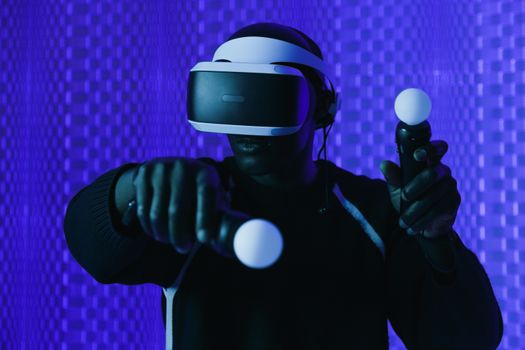
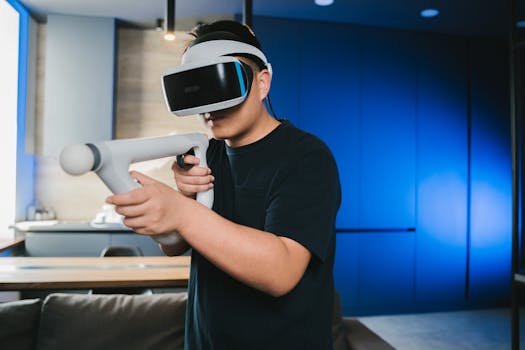
Handheld controllers, often with haptic feedback, allow you to manipulate objects and perform actions within the VR world. These controllers are also tracked in 3D space, mimicking your hands.

The Evolution of Immersive Gaming: Virtual Reality Headsets for Gaming

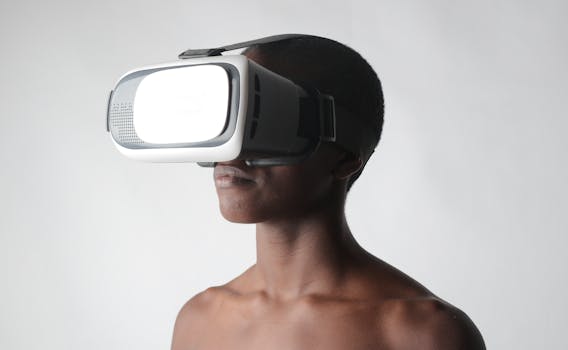
The landscape of gaming has undergone a revolutionary transformation with the advent of virtual reality headsets for gaming. What once felt like science fiction is now a tangible reality, offering players an unprecedented level of immersion that traditional flat-screen gaming simply cannot replicate. From the early, clunky prototypes to today's sleek, powerful devices, VR technology has matured significantly, making it more accessible and enjoyable for a broader audience. The core promise of VR gaming lies in its ability to transport you directly into the game world, allowing you to experience environments, characters, and narratives in a deeply personal and interactive way. Imagine stepping into a medieval castle, feeling the scale of its towering walls, or facing down a colossal monster and genuinely feeling dwarfed by its presence. This is the power of VR. Early virtual reality headsets for gaming faced numerous hurdles, including high costs, complex setups, and often uncomfortable user experiences. However, relentless innovation from companies like Meta (formerly Oculus), Valve, Sony, and HTC has propelled the technology forward. We've seen improvements in display resolution, refresh rates, field of view, and tracking accuracy, all contributing to a more seamless and less disorienting experience. Standalone headsets, in particular, have been a game-changer, removing the need for an expensive gaming PC and tangled wires, thus significantly lowering the barrier to entry. These devices offer a complete, self-contained VR experience, making them incredibly popular for their convenience and portability. Beyond just visual immersion, modern virtual reality headsets for gaming incorporate advanced audio solutions, often with spatial audio, to further enhance the sense of presence. Hearing a monster creep up behind you or the distant hum of a spaceship whizzing by adds another layer of realism that engages more of your senses. Haptic feedback in controllers also plays a crucial role, allowing you to 'feel' virtual interactions, whether it's the recoil of a weapon, the impact of a punch, or the texture of an object you're holding. This multi-sensory engagement is what truly sets VR gaming apart. As the technology continues to advance, we can expect even more sophisticated haptics, eye-tracking, and even full-body tracking solutions to further blur the lines between the physical and virtual worlds. The gaming industry is continuously adapting, with developers creating bespoke experiences that leverage VR's unique capabilities, from intense action adventures to serene exploration titles. The future of gaming is undeniably intertwined with the ongoing evolution of cutting-edge tech like VR. This journey is only just beginning, and the experiences it promises are boundless.

Choosing Your Portal: Types of Virtual Reality Headsets for Gaming

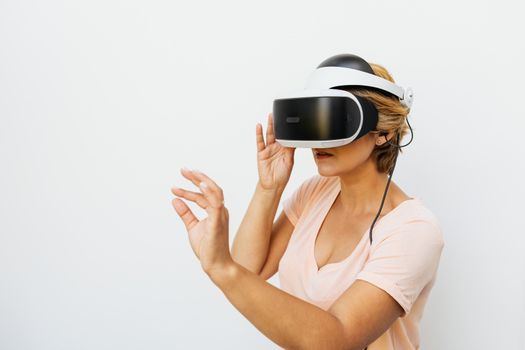
When delving into the world of virtual reality headsets for gaming, understanding the different types available is crucial, as each offers a distinct experience tailored to various needs and budgets. Broadly, VR headsets can be categorized into three main types: PC VR, Standalone VR, and Console VR. Each category has its own set of advantages and limitations that will influence your purchase decision. PC VR headsets, such as the Valve Index or the HTC Vive Pro 2, represent the pinnacle of graphical fidelity and tracking precision. These headsets require a powerful gaming PC to run, as the computer handles all the heavy rendering and processing. The main benefits of PC VR include access to the highest-end VR games with stunning visuals, expansive game libraries (often via SteamVR), and superior tracking accuracy thanks to external base stations or advanced inside-out tracking. The downside, however, is the significant upfront investment in both the headset and a capable PC, along with the need for a dedicated play space that can accommodate cables and tracking equipment. Despite the cost and setup complexity, PC VR remains the preferred choice for enthusiasts seeking the absolute best visual and interactive experience. Standalone virtual reality headsets for gaming, exemplified by the Meta Quest line (Quest 2, Quest 3), have revolutionized accessibility to VR. These devices are all-in-one systems, meaning they contain their own processors, displays, and batteries, eliminating the need for a PC or external sensors. This portability and ease of use are their biggest selling points, allowing users to jump into VR anywhere, anytime, with minimal setup. While they don't quite match the graphical prowess of PC VR due to their integrated mobile processors, the visual quality and performance have improved dramatically with each generation. Many standalone headsets also offer the option to connect to a PC via a cable (like Meta Link) or wirelessly (Air Link, Virtual Desktop), bridging the gap between standalone convenience and PC VR power. This hybrid capability makes them incredibly versatile and a popular entry point for many new VR users. The Meta Quest 3, for instance, offers a compelling balance of performance, features, and price, making it a strong contender for many gamers. Finally, Console VR, primarily represented by the PlayStation VR (PSVR) and its successor PSVR2, offers a dedicated VR experience for console gamers. These headsets leverage the power of their respective consoles (PS4/PS5) to deliver immersive experiences. PSVR2, for example, boasts impressive OLED displays, haptic feedback in the headset, and advanced eye-tracking, all integrated seamlessly with the PlayStation 5 ecosystem. The advantage here is the streamlined setup and guaranteed compatibility with a curated library of console-specific VR titles. However, the game library is often smaller compared to PC VR, and you're tied to the console's hardware. For PlayStation enthusiasts, PSVR2 offers a fantastic way to experience VR without needing a gaming PC, providing a robust and integrated gaming platform. Each type of headset caters to different priorities, from raw power to ultimate convenience, making it essential to evaluate what matters most for your gaming habits.

Key Features to Consider in Virtual Reality Headsets for Gaming

When investing in virtual reality headsets for gaming, understanding the critical features that impact your experience is paramount. Beyond simply choosing a type of headset, delving into specifications like resolution, refresh rate, field of view, and tracking system can make a significant difference in immersion, comfort, and overall satisfaction. Ignoring these details can lead to a less than optimal experience, potentially resulting in motion sickness or a lack of engagement. **Resolution and Pixels Per Degree (PPD):** Higher resolution means sharper images and less 'screen door effect' (where you can see the individual pixels). While a high total resolution (e.g., 2000x2000 per eye) is important, Pixels Per Degree (PPD) is arguably a more accurate metric, indicating how many pixels are packed into each degree of your field of view. A higher PPD results in a clearer, more detailed image, which is crucial for reading text, appreciating fine textures, and reducing eye strain during long gaming sessions. Modern virtual reality headsets for gaming are continuously pushing these boundaries, offering visuals that are increasingly indistinguishable from reality. **Refresh Rate:** This refers to how many times the display updates per second, measured in Hertz (Hz). A higher refresh rate (90Hz, 120Hz, or even 144Hz) is vital for smooth motion and reducing motion sickness. Lower refresh rates can cause choppiness and lag, which can quickly pull you out of the immersive experience and lead to discomfort. For gaming, a refresh rate of at least 90Hz is generally recommended for a comfortable and fluid experience, with higher rates being preferable for fast-paced action titles. **Field of View (FoV):** FoV measures how much of the virtual world you can see at any given moment, typically expressed in degrees. A wider FoV makes the experience more immersive by filling more of your peripheral vision, making you feel more 'inside' the game rather than looking through binoculars. While a perfect human FoV is around 200 degrees, most VR headsets offer between 90 and 120 degrees horizontally. A wider FoV can significantly enhance the sense of scale and presence within the virtual environment. **Tracking System (Inside-Out vs. Outside-In):** This determines how the headset and controllers track your movements. Inside-out tracking, common in standalone headsets like the Meta Quest, uses cameras on the headset itself to map your environment and track your position and controller movements. It's convenient and easy to set up. Outside-in tracking, used by systems like the Valve Index (with Lighthouse base stations), employs external sensors placed in your room to track the headset and controllers. While often more precise and less prone to occlusion, it requires more setup. Both systems have their merits, with inside-out becoming increasingly sophisticated and accurate, making it a viable option for most gamers. The choice often comes down to your desire for simplicity versus absolute tracking fidelity. Understanding these features will empower you to make an informed decision and select a headset that truly enhances your gaming setup.

Optimizing Your VR Gaming Experience: Tips and Common Mistakes

Once you've chosen your virtual reality headsets for gaming, optimizing your experience is the next step to truly unlock its potential. A great VR session isn't just about the hardware; it's also about preparation, setup, and understanding how to get the most out of your device. Avoiding common pitfalls can significantly enhance comfort, immersion, and overall enjoyment. **Tips for an Optimal VR Gaming Experience:** * **Clear Your Play Space:** Before you even put on your headset, ensure your physical play area is free of obstacles. This isn't just for immersion; it's a critical safety measure to prevent injury or damage to your equipment. Many headsets offer guardian systems that delineate your safe zone, but a quick physical check is always best. * **Adjust for Comfort:** Spend time adjusting the straps and interpupillary distance (IPD) until the image is clear and the headset feels secure yet comfortable. An ill-fitting headset can cause blurriness, eye strain, and discomfort, quickly ruining your session. * **Manage Cables (PC VR):** If using a tethered PC VR headset, consider a cable management system (like ceiling pulleys) to keep the cable out of your way. This allows for freer movement and reduces the risk of tripping or getting tangled. * **Stay Hydrated and Take Breaks:** VR can be physically demanding. It's easy to lose track of time. Take regular breaks, stay hydrated, and ensure good ventilation in your play area to prevent overheating or fatigue. * **Experiment with Settings:** Dive into your headset's and game's settings. Adjust graphics quality, refresh rate, and any comfort options (like snap turning vs. smooth turning) to find what works best for you and your system. * **Clean Your Lenses Regularly:** Dust and smudges on the lenses can significantly degrade image quality. Use a microfiber cloth specifically designed for optics to keep them pristine. **Common Mistakes to Avoid:** * **Ignoring Motion Sickness:** If you start feeling queasy, stop immediately. Pushing through it often makes it worse. Start with less intense VR experiences, use comfort settings, and gradually build up your 'VR legs.' Ginger chews or Seabands can also help some individuals. * **Overlooking IPD Adjustment:** Not setting your IPD correctly can cause eye strain, headaches, and a blurry image. It's a fundamental adjustment that many new users overlook. * **Not Having Enough Power (Standalone VR):** Ensure your standalone headset is adequately charged before a session, or consider an external battery pack for extended play. Running out of juice mid-game is frustrating. * **Forgetting Updates:** Keep your headset's firmware and game software updated. Updates often bring performance improvements, new features, and bug fixes that enhance the overall experience. * **Expecting Immediate Mastery:** VR controls and movement can feel unnatural at first. Give yourself time to learn and adapt to the new way of interacting with games. Patience is key to enjoying virtual reality headsets for gaming.

Comparison

FeatureMeta Quest 3Valve IndexPlayStation VR2Pico 4
TypeStandalone/PC VRPC VRConsole VR (PS5)Standalone/PC VR
Resolution (per eye)2064x22081440x16002000x20402160x2160
Refresh Rate90Hz, 120Hz (exp)80/90/120/144Hz90Hz, 120Hz90Hz
Field of View (FoV)110° horizontal130° horizontal110° horizontal105° horizontal
TrackingInside-outOutside-inInside-outInside-out
Cost (approx.)$499$999$549$429
Requires PCOptional (Link/Air Link)✗ (Requires PS5)Optional (Streaming)
Eye Tracking

What Readers Say

"The Meta Quest 3 has completely changed how I game. The freedom of no wires and the incredible graphics make every session feel like a true adventure. Beat Saber in VR is an absolute blast, a real workout!"

Sarah J. · Austin, TX

"As a long-time PC gamer, the Valve Index was an investment, but it was absolutely worth it. The fidelity, the controllers, and the wide field of view are unmatched. Half-Life: Alyx was a revelation and I can't go back to flat screens for certain genres."

Mark D. · Seattle, WA

"I never thought VR would be for me, but my PSVR2 has proven me wrong. Horizon Call of the Mountain is breathtaking, and the haptics really pull you into the world. It's a seamless experience with my PS5."

Emily R. · Orlando, FL

"The Pico 4 offers fantastic clarity and a comfortable design for its price point. While the standalone game library isn't as vast as Quest, streaming PC VR games works surprisingly well. It's a strong contender if you're looking for value."

David L. · Chicago, IL

"My family loves our Quest 2. It's so easy to set up and we've discovered so many fun party games and fitness apps. It's brought a whole new dimension to our family game nights, and even my non-gamer friends enjoy it."

Jessica M. · Denver, CO

Frequently Asked Questions

Are virtual reality headsets for gaming worth it in 2024?

Absolutely. VR technology has matured significantly, offering accessible standalone options like the Meta Quest 3 and high-fidelity PC VR experiences. With a growing library of immersive games and continuous hardware improvements, 2024 is an excellent time to jump into VR gaming.

Do virtual reality headsets for gaming cause motion sickness?

Motion sickness can affect some users, especially beginners, but it's less common with modern headsets and higher refresh rates. Many games offer comfort settings (like snap turning) to mitigate it, and most people adapt over time by taking breaks and starting with less intense experiences.

How do I set up a virtual reality headset for gaming?

Standalone headsets typically involve a quick initial setup through a mobile app and on-device tutorials, defining your play space. PC VR headsets require connecting to a powerful gaming PC via cables or wirelessly, installing drivers, and often setting up external tracking sensors or configuring inside-out tracking within your room.

What is the average cost of virtual reality headsets for gaming?

The cost varies widely. Entry-level standalone headsets can start around $300-$500, offering a complete experience. High-end PC VR systems, including the headset and a capable gaming PC, can easily exceed $1000-$2000. Console VR options like PSVR2 fall in the mid-range around $550.

How do standalone VR headsets compare to PC VR for gaming?

Standalone VR offers unparalleled convenience, portability, and ease of use, with a solid game library. PC VR, while requiring a powerful computer and more setup, delivers superior graphical fidelity, higher refresh rates, wider fields of view, and access to the most graphically demanding VR titles. Many standalone headsets can also connect to a PC for hybrid functionality.

Who should consider buying virtual reality headsets for gaming?

Anyone seeking a truly immersive and novel gaming experience should consider VR. It's ideal for gamers looking to step into their favorite worlds, fitness enthusiasts wanting engaging workouts, or those interested in social VR experiences. It's also great for families looking for interactive entertainment.

Are virtual reality headsets for gaming safe for children?

Most manufacturers recommend VR headsets for users aged 13 or older due to potential eye strain and developmental concerns. Parental supervision and strict adherence to recommended usage times are crucial if younger children use them. Always prioritize comfort and take frequent breaks.

What's next for virtual reality headsets for gaming?

The future of VR gaming will likely see even higher resolutions, wider FoVs, more sophisticated haptics, and advanced eye-tracking for foveated rendering (optimizing graphics where you look). We can also expect lighter, more comfortable designs, and deeper integration with mixed reality (MR) experiences that blend virtual elements with the real world.

Embrace the next frontier of interactive entertainment. Virtual reality headsets for gaming offer an unparalleled journey into digital worlds, redefining what it means to play. Explore the options, find your perfect fit, and prepare to be utterly immersed in the games you love.

Topics: virtual reality headsets for gamingVR gamingbest VR headsetsimmersive gamingVR technology
Leo List
Brampton weed
Adultwork EstrelaBet Vai de Bet R7 Bet Betão Galera Bet Rainbet Bet9ja Shop SportyBet BetKing Sisal Loto Foot Hollywoodbets YesPlay Odibets RushBet Jugabet BetWarrior BetCity MSport betPawa Fortebet