Affordable 4K Projectors for Home Theater: Your Ultimate Guide
affordable 4K projectors for home theater

Affordable 4K Projectors for Home Theater: Your Ultimate Guide

Transform your living room into a stunning cinematic experience with incredible 4K visuals, all within your budget.

Find Your Perfect Projector

Key Takeaways

  • ✓ Native 4K resolution isn't always necessary for excellent picture quality; pixel shifting offers great value.
  • ✓ Brightness (lumens) is crucial for well-lit rooms, but less so for dedicated dark home theaters.
  • ✓ Lamp life varies significantly between traditional lamps and laser/LED light sources, impacting long-term cost.
  • ✓ Input lag is a key consideration for gamers, while contrast ratio enhances movie viewing.

How It Works

1
Understand Your Space

Measure your room dimensions, especially throw distance and screen size. This dictates the projector type and lens requirements.

2
Set Your Budget & Features

Determine how much you're willing to spend and prioritize features like brightness, contrast, and smart capabilities. This narrows down options significantly.

3
Explore 4K Technologies

Research pixel shifting vs. native 4K, and understand how DLP, LCD, and LCoS panels affect image quality. Each has pros and cons for budget buyers.

4
Test & Calibrate

Once purchased, set up your projector, adjust settings for optimal picture, and consider professional calibration for the best results. Enjoy your new home cinema!

Demystifying 4K Projector Technology for Budget-Conscious Buyers
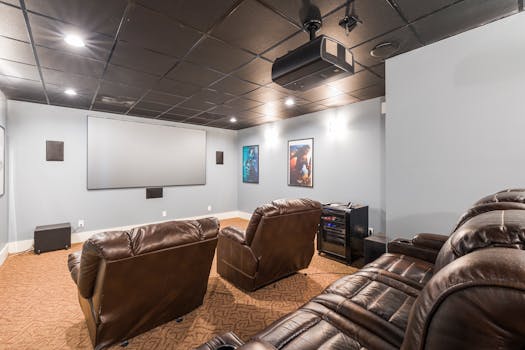
Cozy home theater setup with plush leather recliners and modern audiovisual equipment. Photo: Curtis Adams / Pexels
The dream of a cinematic 4K experience at home used to feel out of reach for many, but advancements in technology have made affordable 4K projectors for home theater a tangible reality. When we talk about '4K' in the context of projectors, it's important to understand that not all 4K is created equal, especially in the budget segment. The most common technology you'll encounter in this price range is 'pixel shifting.' Unlike true native 4K projectors which have 8.3 million distinct pixels on their display chip, pixel-shifting projectors typically use a 1080p (2.1 million pixel) or 2716x1528 (4.1 million pixel) chip and rapidly shift these pixels diagonally by half a pixel at incredibly high speeds. This creates the perception of a full 8.3 million pixel image, delivering a significant upgrade over standard 1080p without the prohibitive cost of native 4K panels. The human eye perceives this rapid shifting as a single, higher-resolution image, offering impressive detail and sharpness that's very close to native 4K for most viewers. Beyond pixel shifting, projector technology also involves the type of display chip: DLP (Digital Light Processing), LCD (Liquid Crystal Display), and LCoS (Liquid Crystal on Silicon). DLP projectors are known for their excellent contrast and fast response times, making them popular for both movies and gaming. They achieve their image by using millions of tiny mirrors. LCD projectors, on the other hand, typically offer better color saturation and are less prone to the 'rainbow effect' sometimes seen with single-chip DLPs. LCoS, often found in higher-end models, combines the best of both, offering deep blacks and vibrant colors, though it's rarer in the budget 4K space. Understanding these core technologies is crucial when evaluating affordable 4K projectors for home theater. A projector utilizing advanced pixel shifting with a high-quality DLP chip, for instance, can offer a stunning visual experience that rivals much more expensive native 4K units. Manufacturers like Optoma, BenQ, and Epson have perfected these techniques, bringing incredible value to the market. For those interested in the technical nuances of these display types, a deeper dive into projector display technologies can further clarify the distinctions and help you make an informed decision based on your specific priorities and budget. Don't be swayed by marketing jargon; focus on how these technologies translate to real-world picture quality and overall viewing experience in your home.

Essential Features to Prioritize in Budget 4K Projectors

Adult man in a suit leaning against a table, with a whiteboard on a polka dot wall background. Photo: Anastasia Shuraeva / Pexels
When shopping for affordable 4K projectors for home theater, it's easy to get overwhelmed by specifications. However, focusing on a few key features will help you identify the best value and ensure your projector meets your specific needs. First and foremost is brightness, measured in ANSI lumens. For a dedicated, light-controlled home theater with dark walls, 2000-2500 lumens might be sufficient. But if you plan to use your projector in a living room with ambient light, or you prefer a larger screen, you'll want something closer to 3000-4000 lumens to combat washout and maintain a vibrant image. It’s crucial to distinguish between actual ANSI lumens and less standardized marketing terms like 'LED lumens' or 'light source lumens,' which can be misleadingly high. Contrast ratio is another critical factor for cinematic quality. A high contrast ratio means deeper blacks and brighter whites, resulting in a more dynamic and three-dimensional image. While advertised contrast ratios can be inflated, look for projectors that genuinely produce good black levels. This is particularly important for movies with dark scenes, where a poor contrast ratio can make the image look flat and washed out. Dynamic iris technology or dynamic black features can enhance perceived contrast by adjusting light output on the fly, offering a significant boost in darker scenes. Input lag is a specification often overlooked by casual viewers but is paramount for gamers. Measured in milliseconds (ms), input lag refers to the delay between a signal being sent from your console or PC and it appearing on the screen. For competitive gaming, you'll want an input lag of 30ms or less. Many affordable 4K projectors now include a 'Game Mode' which optimizes settings to reduce input lag, sometimes at the expense of slight image processing. If gaming is a priority, actively seek out reviews that test this metric. Finally, consider the light source. Traditional lamp-based projectors are more affordable upfront but require lamp replacements every few thousand hours, adding to long-term costs. LED and laser light sources, while pricier initially, offer significantly longer lifespans (20,000+ hours), instant on/off, and consistent brightness and color over their lifetime, making them excellent value in the long run. The throw ratio and lens shift capabilities are also important for installation flexibility, allowing you to place the projector at various distances and still achieve a perfectly rectangular image without digital keystone correction, which can degrade image quality. Prioritizing these features will ensure your investment in an affordable 4K projector for home theater delivers the best possible experience.

Setting Up Your Budget 4K Home Theater: Tips and Tricks
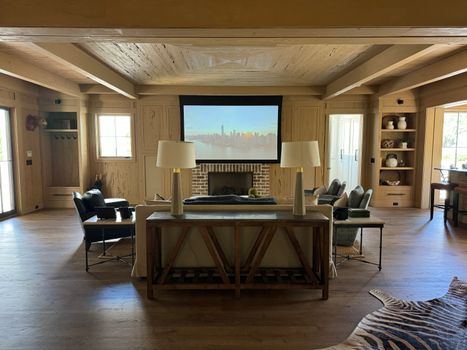
Stylish living room with projector screen, cozy seating, and wooden décor. Photo: Curt Hubner / Pexels
Once you've selected one of the many fantastic affordable 4K projectors for home theater, the next step is setting it up to maximize its potential. Proper setup can make a world of difference in image quality and overall viewing experience. The first crucial element is screen choice. While you can project directly onto a white wall, a dedicated projector screen will significantly enhance picture quality by providing a perfectly flat, uniformly reflective surface. Different screen materials exist, from matte white for general use to high-gain screens for brighter rooms, and ambient light rejecting (ALR) screens which are excellent for combating light in non-dedicated spaces. For budget setups, a pull-down or fixed-frame matte white screen offers excellent value. Placement is key. Determine the optimal throw distance for your projector to achieve your desired screen size. Most projectors have a throw ratio specification that tells you how far the projector needs to be from the screen to produce a certain image size. Use online throw distance calculators if available for your specific model. Ideally, the projector should be centered horizontally with the screen. If your projector has lens shift (physical adjustment of the lens to move the image up/down or left/right), use it instead of digital keystone correction. Digital keystone distorts the image by electronically manipulating pixels, which can reduce sharpness and resolution. If lens shift isn't available, try to mount the projector as perfectly aligned as possible. Environmental control plays a huge role. Light control is paramount for any projector, especially for achieving deep blacks and vibrant colors. Blackout curtains or blinds are highly recommended. Darkening your walls and ceiling can also significantly reduce reflected light and improve perceived contrast. Even in a budget setup, simple steps like using darker furniture or strategically placed plants can help. Audio is the other half of the home theater experience. While many projectors have built-in speakers, they are usually rudimentary. Invest in a soundbar or a basic 5.1 surround sound system to complement your stunning 4K visuals. You don't need to break the bank for good sound; even a quality 2.1 system can elevate your movie nights dramatically. Remember, a great picture is only half the story; immersive audio completes the cinematic illusion. You can explore more about optimizing your home audio setup to pair perfectly with your new projector.

Common Mistakes to Avoid and Pro Tips for Your Budget 4K Projector
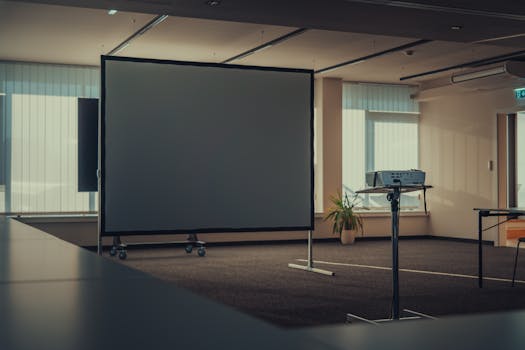
Spacious modern office interior featuring a projector and screen for presentations. Photo: Michael Pointner / Pexels
Even with the best affordable 4K projectors for home theater, certain pitfalls can diminish your experience. Avoiding these common mistakes and implementing a few pro tips will ensure you get the most out of your investment. **Common Mistakes to Avoid:** * **Ignoring Ambient Light:** Projectors, unlike TVs, are highly susceptible to ambient light. Don't expect stunning blacks and vibrant colors in a brightly lit room. This is the number one killer of projector picture quality. * **Over-relying on Digital Keystone:** While convenient, digital keystone correction digitally distorts the image to make it rectangular. This reduces effective resolution and can introduce artifacts. Always prioritize physical placement and lens shift if available. * **Skimping on Cables:** Poor quality or excessively long HDMI cables can lead to signal degradation, especially with 4K HDR content. Invest in certified high-speed HDMI cables for reliable data transfer. * **Neglecting Audio:** A stunning 4K image with weak, tinny sound from built-in speakers is a missed opportunity. Plan for external audio from the start. * **Forgetting Maintenance:** Lamp-based projectors need occasional filter cleaning and lamp replacements. Even laser/LED models benefit from clear ventilation to prevent overheating. **Pro Tips for Maximizing Your Experience:** * **Calibrate Your Picture:** Out-of-the-box settings are rarely optimal. Use calibration discs or online guides to adjust brightness, contrast, color, and sharpness. Even basic adjustments can yield significant improvements. * **Consider a Dedicated Power Conditioner:** Projectors are sensitive electronics. A power conditioner can protect against surges and provide clean power, potentially extending the life of your unit. * **Invest in an ALR Screen for Ambient Light:** If you can't achieve full darkness, an Ambient Light Rejecting (ALR) screen is a game-changer. They selectively reflect light from the projector while absorbing light from other angles, significantly boosting contrast in brighter rooms. * **Optimize Your Seating Distance:** For an immersive cinematic experience, aim for a seating distance where the screen fills a good portion of your field of view. THX recommends a viewing angle of 36-40 degrees for movies. * **Regularly Clean the Lens:** Dust and smudges on the projector lens can degrade image clarity. Use a soft, lint-free cloth and lens cleaner specifically designed for optics. * **Explore Smart Features:** Many budget 4K projectors now include smart platforms or streaming dongle compatibility. Utilize these for easy access to your favorite content without additional devices. By being mindful of these points, you can elevate your affordable 4K home theater experience from good to truly spectacular, ensuring every movie night is a memorable one.

Comparison

FeatureBest Overall Budget Pick (Example: Optoma UHD35)Best for Bright Rooms (Example: BenQ TK850i)Best for Gaming (Example: XGIMI Horizon Pro)
Resolution4K UHD (Pixel Shift)4K UHD (Pixel Shift)4K UHD (Pixel Shift)
Brightness (ANSI Lumens)360030002200
Contrast Ratio1,000,000:1 (Dynamic)30,000:1 (Dynamic)10,000:1 (Dynamic)
Input Lag (1080p@120Hz)4.2ms16ms18ms
Light SourceLampLampLED
HDR Support
Lens ShiftVertical
Smart FeaturesNo (External Dongle)Android TV Built-inAndroid TV Built-in

What Readers Say

"I never thought I could afford a 4K projector, but this article led me to an amazing option. The picture quality for my affordable 4K projector for home theater is unbelievable, truly like being in a cinema!"

Sarah J. · Austin, TX

"This guide helped me navigate the confusing world of budget 4K projectors. I found a fantastic model that perfectly fits my living room setup, and movie nights have never been better."

Mark D. · Miami, FL

"Following the advice here, I invested in an ALR screen with my new projector. The result is a vibrant, clear image even with some ambient light, completely transforming my entertainment space."

Jessica L. · Seattle, WA

"The details on pixel shifting vs. native 4K were incredibly helpful. While it's not 'true' 4K, the picture from my affordable 4K projector for home theater is so good, I honestly can't tell the difference for the price."

Chris B. · Denver, CO

"As a casual gamer, the input lag section was a lifesaver. I picked a projector with low latency, and now gaming on the big screen is an absolute blast, with no noticeable delay."

Emily R. · Boston, MA

Frequently Asked Questions

Are affordable 4K projectors for home theater truly 4K, or are they fake?

Most affordable 4K projectors use pixel-shifting technology, which rapidly projects 2-4 million pixels multiple times to create the perception of a full 8.3 million pixel 4K image. While not 'native' 4K in the strictest sense, the visual difference for most viewers is negligible, offering a significantly sharper and more detailed image than 1080p at a fraction of the cost of native 4K units.

Will an affordable 4K projector work well in a room with some ambient light?

It depends on the projector's brightness (lumens) and your screen type. For rooms with ambient light, look for projectors with 3000+ ANSI lumens and consider investing in an Ambient Light Rejecting (ALR) screen. While a dedicated dark room is ideal, these measures can significantly improve picture quality in brighter environments.

How do I connect my streaming devices and gaming consoles to an affordable 4K projector?

Most affordable 4K projectors come equipped with multiple HDMI ports, allowing you to connect streaming sticks (like Roku, Fire TV), gaming consoles (PS5, Xbox Series X), Blu-ray players, and more. Some even have smart platforms built-in (like Android TV) for direct app access.

Is the long-term cost of owning an affordable 4K projector high due to lamp replacements?

Traditional lamp-based projectors do require lamp replacements, typically every 3,000-10,000 hours, costing $100-$300 per lamp. However, many newer affordable models now use LED or laser light sources, which offer lifespans of 20,000-30,000+ hours, virtually eliminating the need for replacements and reducing long-term costs.

How do affordable 4K projectors compare to large 4K TVs in terms of value?

Affordable 4K projectors offer a significantly larger screen size (100-300+ inches) for a comparable or lower price than large 75-inch+ 4K TVs. While TVs offer better black levels and brightness in well-lit rooms, projectors deliver a truly cinematic, immersive experience that large TVs can't match for sheer scale, making them excellent value for home theater enthusiasts.

Who should consider buying affordable 4K projectors for home theater?

Anyone looking to create an immersive, large-screen cinematic experience at home without spending a fortune. This includes movie enthusiasts, sports fans, and gamers who prioritize screen size and resolution over absolute black levels or use in extremely bright, uncontrolled environments.

Are there any safety concerns with using a projector?

Projectors emit bright light, so it's generally advised not to stare directly into the lens. Ensure proper ventilation around the unit to prevent overheating, especially for lamp-based models. Otherwise, they are as safe to operate as any other electronic device.

What are the future trends for affordable 4K projectors?

Expect to see continued improvements in LED and laser light sources, making them even more prevalent and affordable. We'll also see enhanced smart features, lower input lag for gaming, and potentially more advanced pixel-shifting techniques that get even closer to native 4K quality at competitive prices.

Ready to bring the magic of the movies into your home? With the right research and understanding, finding an affordable 4K projector for home theater is easier than ever. Start building your dream home cinema today and experience entertainment on a truly grand scale without compromising your budget.

Topics: affordable 4K projectors for home theaterbudget 4K projectorshome cinema projectorbest cheap 4K projectorprojector buying guide
Leo List

IE Escorts NO Escorts US Escorts NZ Escorts AU Escorts
Brampton weed
Adultwork EstrelaBet Vai de Bet R7 Bet Betão Galera Bet Rainbet Bet9ja Shop SportyBet BetKing Sisal Loto Foot Hollywoodbets YesPlay Odibets RushBet Jugabet BetWarrior BetCity MSport betPawa Fortebet